




Transforming Enterprise Architecture: An AI-Powered TOGAF ADM Guide-Through with Visual Paradigm
Master Enterprise Architecture with an AI-powered TOGAF ADM guide in Visual Paradigm. Learn to create ArchiMate diagrams and accelerate digital transformation.
The world of Enterprise Architecture (EA) is undergoing a monumental shift. Gone are the days of staring at a blank canvas, overwhelmed by the sheer complexity of the TOGAF® standard. Imagine a world where your vision translates instantly into structured, compliant blueprints. With the AI-powered TOGAF ADM Guide-Through in Visual Paradigm, that world is here! This revolutionary approach doesn’t just simplify the process; it transforms the way architects think, collaborate, and deliver value to their organizations. Whether you are a seasoned professional or a junior architect finding your feet, the integration of artificial intelligence into the Architecture Development Method (ADM) provides a visionary leap forward in productivity and technical precision.
In this tutorial, we will explore a real-world case study: a family-owned coffee shop chain looking to modernize through digital transformation. We will show you exactly how to leverage this professional AI-powered TOGAF modeling tool to navigate the ADM lifecycle with speed and confidence.
Quick Takeaways: Why Use AI in Your TOGAF Projects?
-
Unprecedented Speed: Generate complex ArchiMate diagrams and business capability maps in seconds rather than hours.
-
Smart Compliance: AI ensures your artifacts align with TOGAF standards, reducing manual errors and “blank canvas anxiety.”
-
Seamless Documentation: Automatically transition from visual models to professional Word-based deliverables.
-
Strategic Focus: Spend less time on syntax and more time on high-value decision-making and innovation.
-
Lower Learning Curve: Junior architects can produce professional-quality models with intelligent suggestions.
Embarking on the Architecture Journey
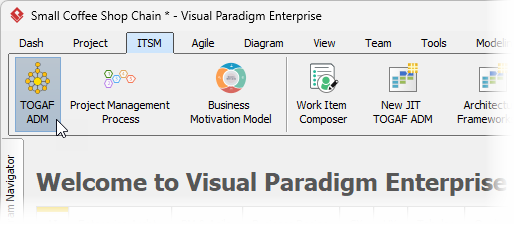
Every great transformation begins with a single step. In Visual Paradigm, launching your enterprise-grade project is as simple as a few clicks. The AI-powered TOGAF ADM Guide-Through is seamlessly integrated into the ITSM menu, acting as your digital co-pilot from the very start. By selecting the TOGAF ADM option, you open the door to a structured environment designed to keep your project on track and aligned with industry best practices.
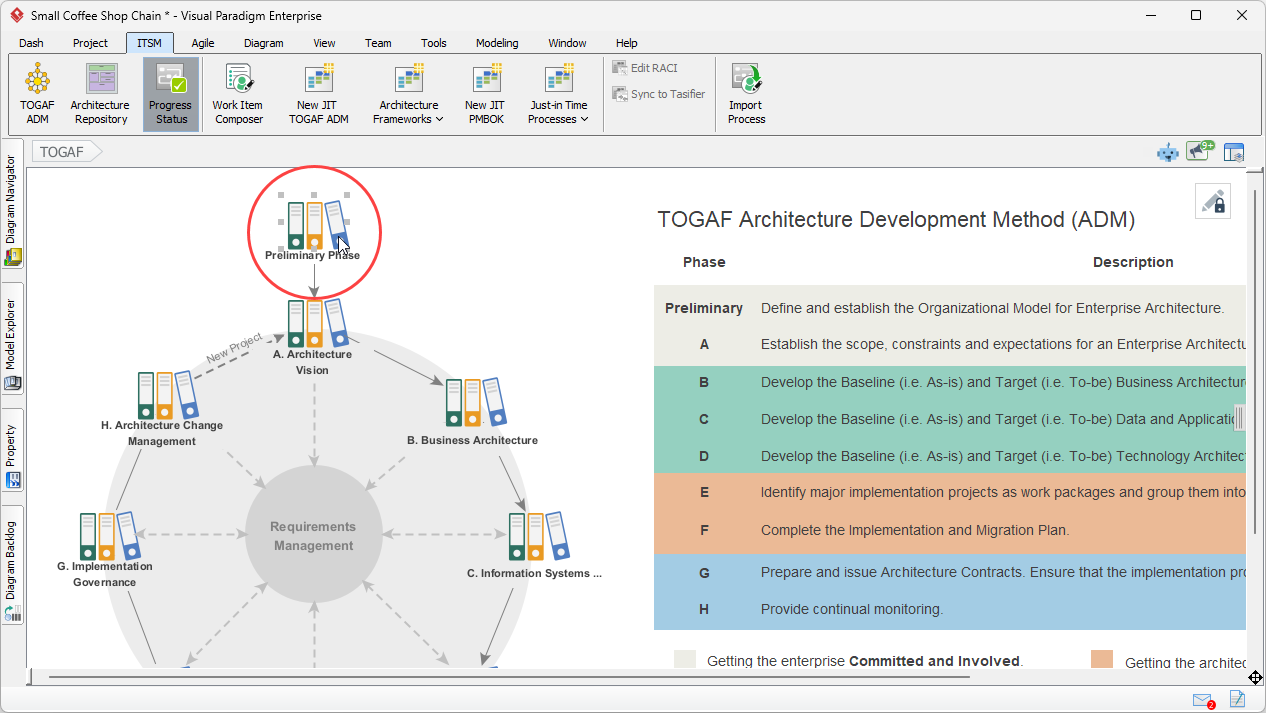
The initial interface presents the iconic ADM “crop circle,” a visual roadmap of the entire architecture lifecycle. From the Preliminary Phase to Requirements Management, every stage is interactive. To begin our coffee shop transformation, we simply click on the “Preliminary Phase” to dive into the foundational work of our enterprise architecture.
Mastering the Preliminary Phase: Scoping the Impact
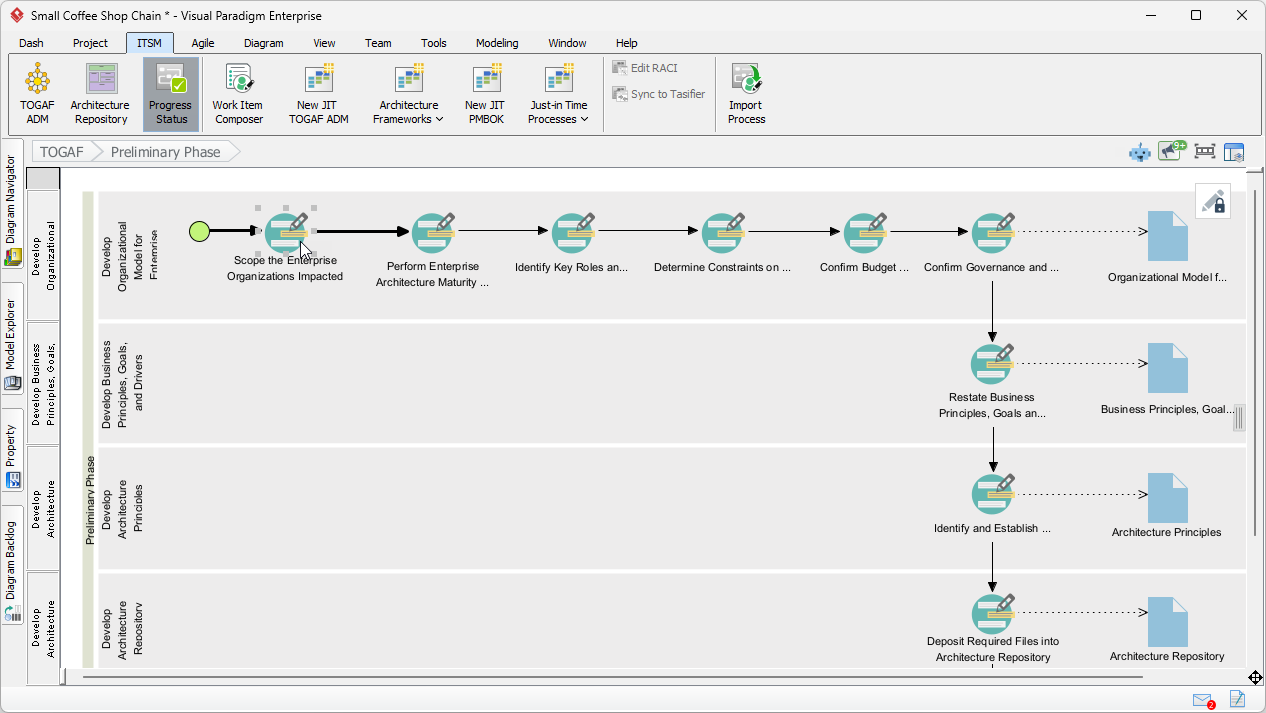
Once inside a phase, Visual Paradigm provides a “zoom-in” view of the specific activities involved. These activities are organized logically by lanes of deliverables. To complete a phase, you navigate through these activities (work items), ensuring that every step of the ADM is respected. Our first high-impact task is to “Scope the Enterprise Organizations Impacted.” This is crucial for understanding who will be affected by our move from manual processes to a digital ordering system.
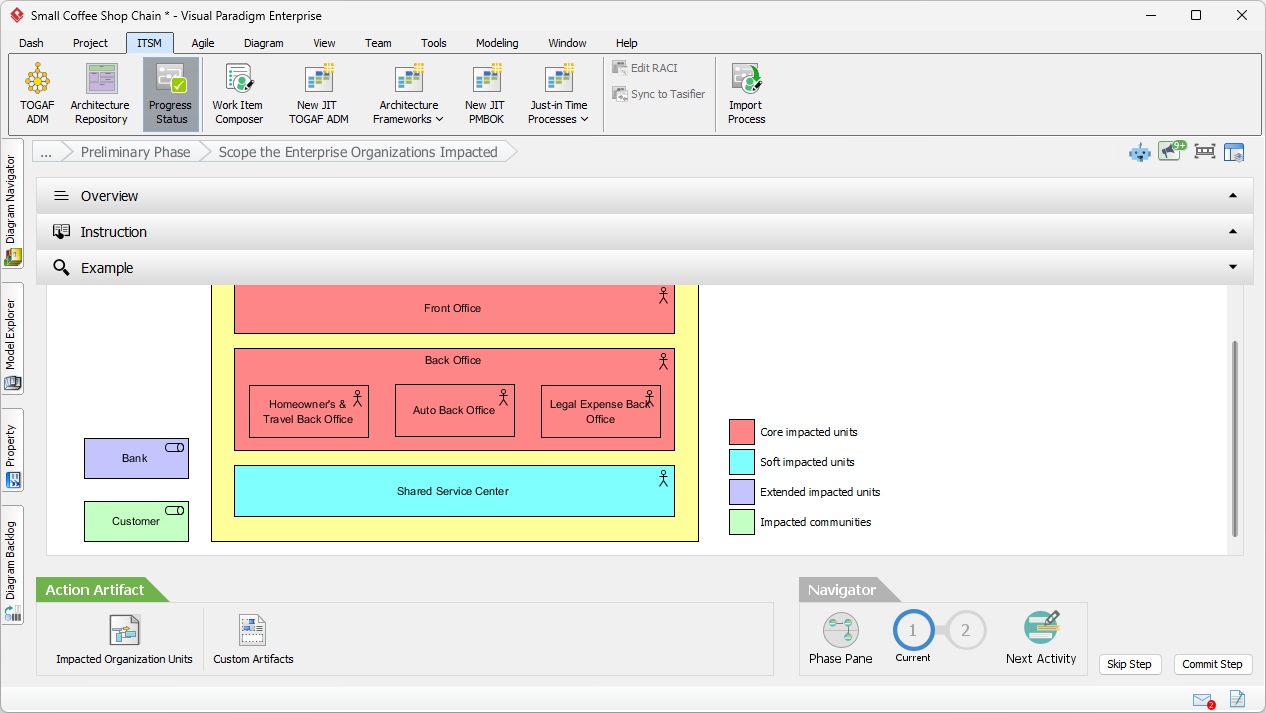
The activity screen is designed for maximum clarity, featuring three vital panes: Overview, Instruction, and Example.

The Instruction pane acts as a mentor, offering tips on identifying core, soft, and extended impacted units.

Meanwhile, the Example pane provides a visual benchmark, showing you what a high-quality artifact should look like before you even start. This ensures that even those new to the framework can produce professional results immediately.
The Magic of AI Diagram Generation
Now, let’s witness the true power of an easy-to-use AI TOGAF software. By opening the “Impacted Organization Units” action, you are presented with a blank ArchiMate diagram.
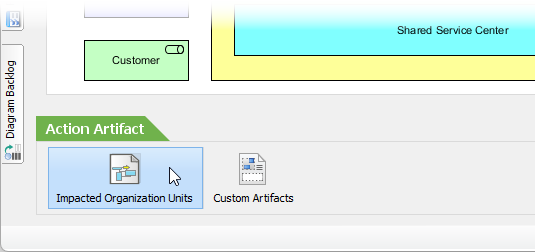
But you aren’t alone! A smart prompt appears, asking if you want to generate the content via AI. This is where the transformation happens. Click Generate.
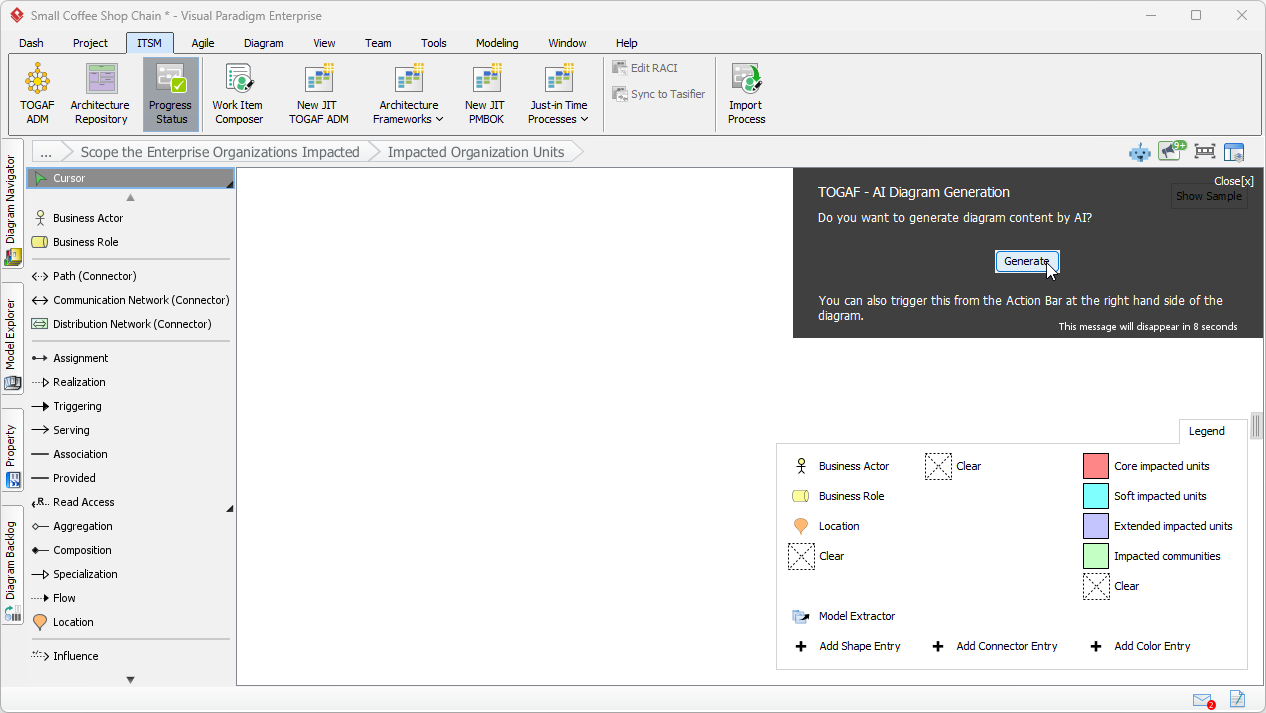
You simply describe the problem—in our case, the coffee shop’s plan to launch a mobile app and online ordering system—and let the engine do the heavy lifting.
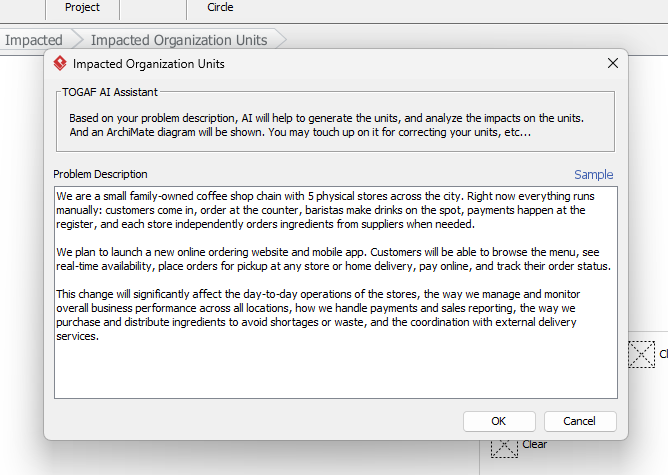
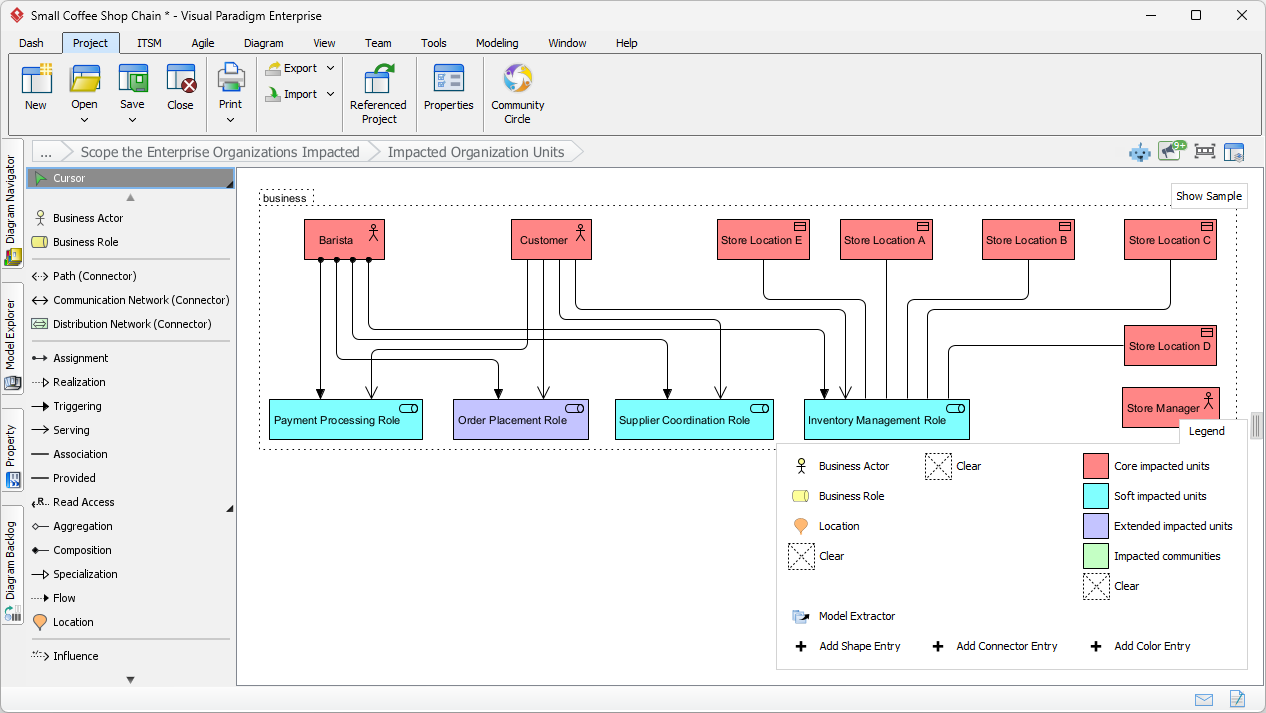
After entering your project description, the AI analyzes the natural language input to identify key actors, roles, and locations. It doesn’t just place shapes; it builds relationships. In seconds, a structured ArchiMate diagram appears, complete with a color legend indicating the type of impact (e.g., Core, Soft, or Extended). This AI-powered TOGAF generator eliminates the tedious manual drafting phase, allowing you to move straight to validation.
Refining the Blueprint: The Human-AI Partnership
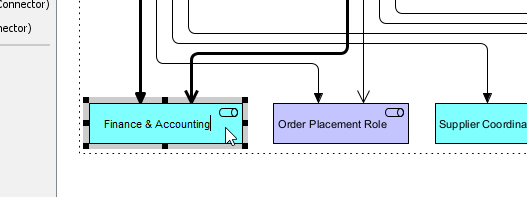
While the AI provides a brilliant foundation, the expert architect provides the finishing touch. Visual Paradigm makes it incredibly simple to “touch up” the generated models. You can rename elements to better fit your internal terminology, such as changing a generic “Payment Processing Role” to “Finance & Accounting.” The interface is highly intuitive, supporting rapid adjustments to associations and element types.
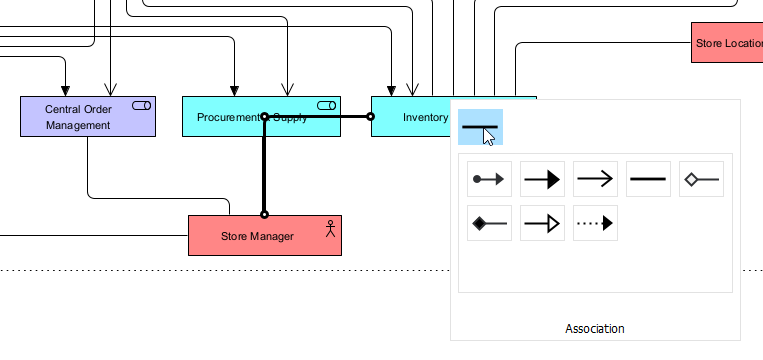
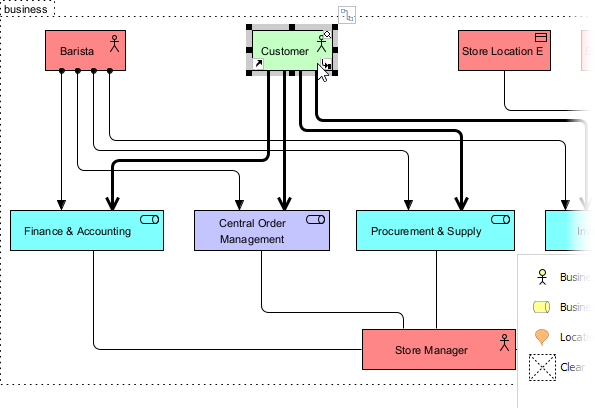
Technical precision is paramount in EA. If the AI miscategorizes an element—perhaps labeling a “Customer” as a core unit when they should be an “Impacted community”—you can correct it instantly using the Color Legend. This collaborative workflow between human intelligence and AI ensures that the final model is both fast to produce and 100% accurate to your specific business context.

From Modeling to Professional Deliverables
Consistency is the hallmark of a great architect. As you complete each step, you “Commit” your progress. Visual Paradigm tracks your status with satisfying green checkmarks, providing a clear visual indicator of project health. This progress tracking is vital for large architecture teams who need to ensure every deliverable—from the Architecture Vision in Phase A to the Migration Plan in Phase E—is accounted for.
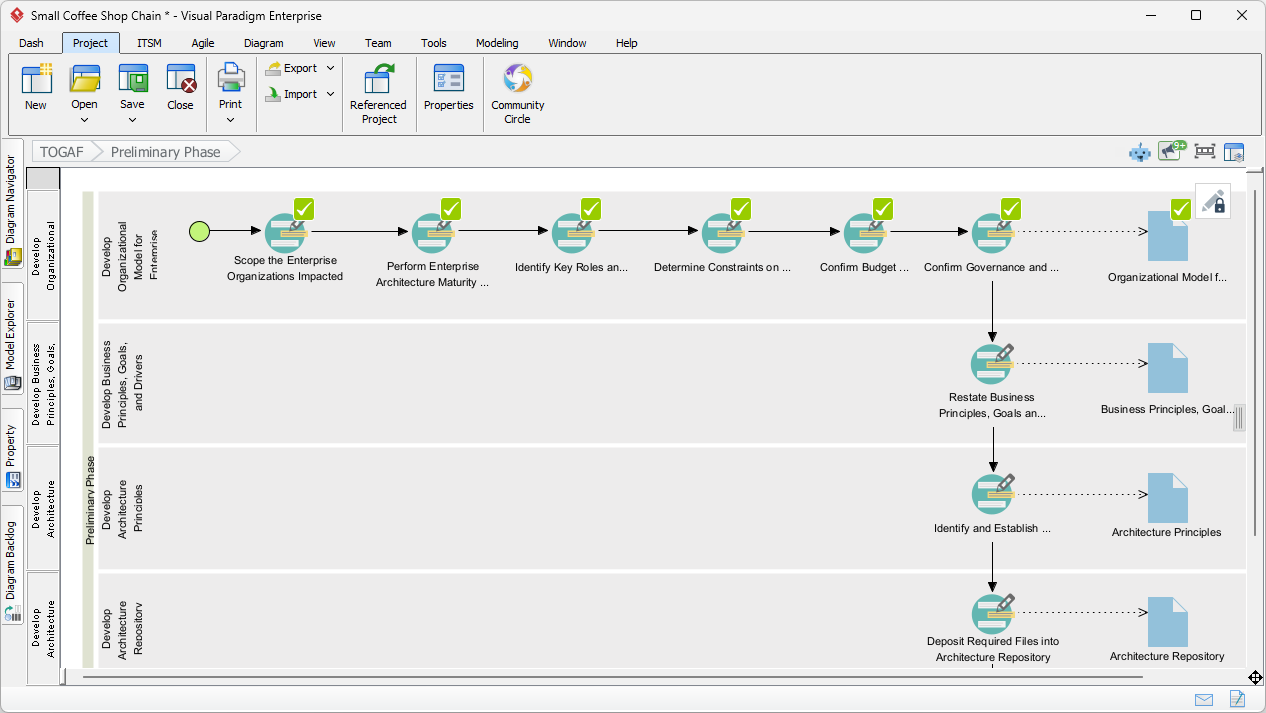
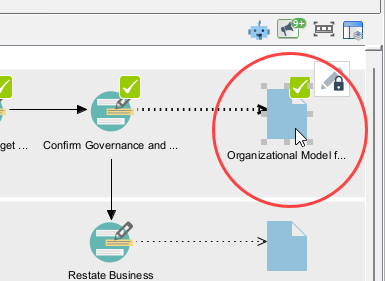
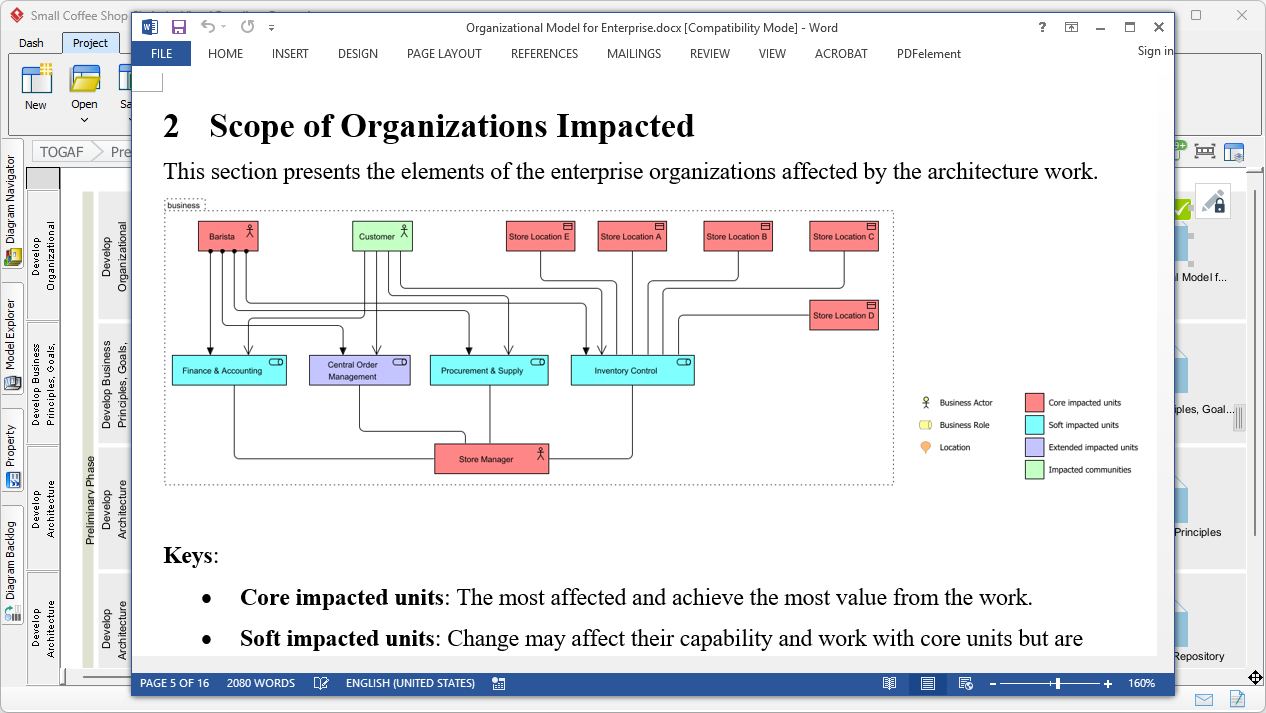
The final “wow” moment comes when it is time to produce the formal documentation. By double-clicking the deliverable icon, Visual Paradigm aggregates all the data, diagrams, and descriptions you’ve developed and generates a professional Word document. This isn’t just a copy-paste job; it is a formatted, TOGAF-compliant report that includes your AI-generated ArchiMate diagrams and their corresponding keys. Your stakeholders will be amazed at the depth and clarity of the output produced in a fraction of the traditional time.
Conclusion: The Future of Architecture is Here
The AI-powered TOGAF ADM Guide-Through in Visual Paradigm is more than just a tool; it’s a catalyst for organizational change. By combining the structured discipline of the TOGAF framework with the innovative speed of artificial intelligence, you can deliver higher quality architecture with less effort. This case study of a coffee shop chain is just the beginning. Whether you are performing a Business Capability Assessment or a Data Domain Gap Analysis, AI is ready to help you visualize the path forward. Embrace the future of modeling and let your creativity soar while the AI handles the syntax!
Ready to elevate your architecture? Experience the most professional AI-powered TOGAF modeling tool today. Download a trial of Visual Paradigm and start your journey toward smarter, faster, and more impactful enterprise architecture. Visit the Visual Paradigm Download Page to get started!
Related Links
The TOGAF Architecture Development Method (ADM) is a globally recognized, iterative process for developing enterprise architecture that aligns IT strategy with business objectives. Visual Paradigm streamlines this complex framework through an automated Guide-Through Process, providing a structured navigator that offers step-by-step instructions, reusable templates, and integrated documentation repositories. These tools enable teams to manage the full architecture lifecycle while maintaining traceability and standards compliance.
-
TOGAF ADM Software – Visual Paradigm: This resource details industry-specific software that enhances EA productivity by guiding users through the ADM phases and automatically generating required deliverables.
-
TOGAF Architecture Development Method (ADM) Guide-Through Process: An overview of the automated tool that simplifies the ADM by providing visual navigation, samples, and project launch support.
-
Step-by-Step Enterprise Architecture Tutorial with TOGAF ADM: A practical guide that walks users through each ADM phase, offering clear instructions and templates to initiate architecture projects.
-
Comprehensive Guide to Applying Gap Analysis in TOGAF ADM: A technical deep-dive into identifying discrepancies between current and target states within the ADM framework.
-
TOGAF ADM and Architecture Content Framework Explained: This article explains the relationship between ADM processes and the Architecture Content Framework for structured outputs.
-
Mastering Enterprise Architecture with Visual Paradigm’s TOGAF ADM Guide: A comprehensive guide focused on implementing robust IT frameworks and aligning them with business goals.
-
Techniques for Developing TOGAF ADM: An exploration of core methodologies and practical techniques used by architects to develop enterprise structures.
-
TOGAF ADM Phase A: Architecture Vision Deliverables: A specialized look at the activities and deliverables required to establish a clear architecture vision during Phase A.
-
Comprehensive Guide to Visual Paradigm for TOGAF, ADM, ArchiMate, BPMN, and UML: This article demonstrates how to apply multiple modeling standards in concert to support the TOGAF lifecycle.
-
Case Study: Applying TOGAF ADM for a Company: A real-world demonstration showing how ArchiMate integration and TOGAF processes function within the Visual Paradigm platform.