




Architecting a Digital Education Hub with the AI-powered Use Case Driven Development Assistant
Learn how the AI-powered UCDD Assistant streamlines education hub development with automated diagramming, MoSCoW prioritization, and Gherkin scenarios.
Planning a new software project can feel like trying to organize a library during a gale. Requirements fly everywhere while stakeholders shout their favorite features from the sidelines. Without a clear map, development teams often wander into a forest of confusion and technical debt. The Use Case Driven Development Assistant serves as a calm, digital librarian for your project. This professional online AI project planner structures the chaos into a logical, step-by-step journey. It ensures that every button and feature serves a specific purpose for a real user.
The journey begins with a solid foundation by establishing a clear project definition. In the first stage, the user provides a project name such as an Online Course Platform. The best use case generator then assists in drafting a concise short description. This leads to the creation of a comprehensive problem statement that highlights the struggles of students and instructors. This stage ensures that everyone understands why the software exists before any code is written.
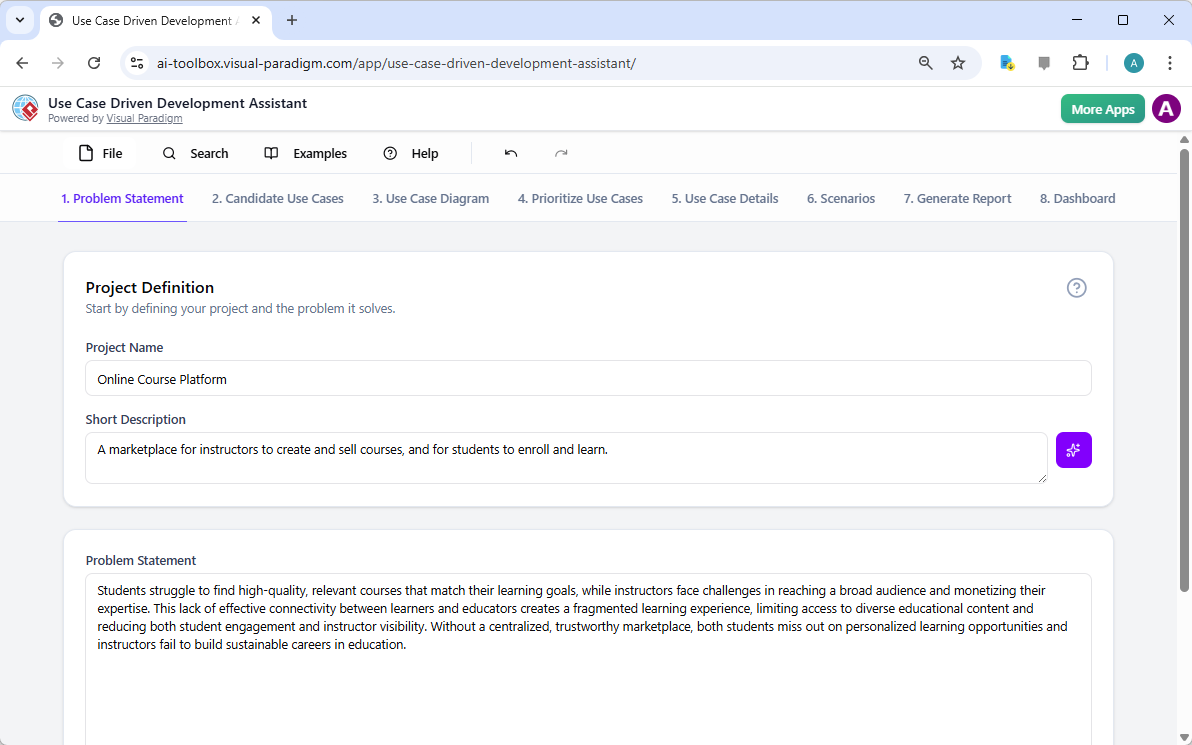
Quick Summary of the UCDD Assistant Features
-
AI-Powered Analysis: Instantly generates problem statements and detailed functionalities.
-
Automated Diagramming: Creates PlantUML Use Case and Activity Diagrams with a single click.
-
Feature Prioritization: Uses the MoSCoW method to rank the importance of various tasks.
-
Gherkin Scenarios: Produces executable test cases for quality assurance teams.
-
Comprehensive Reporting: Compiles technical plans and task lists for all stakeholders.
Identifying the Stars of Your Software Show
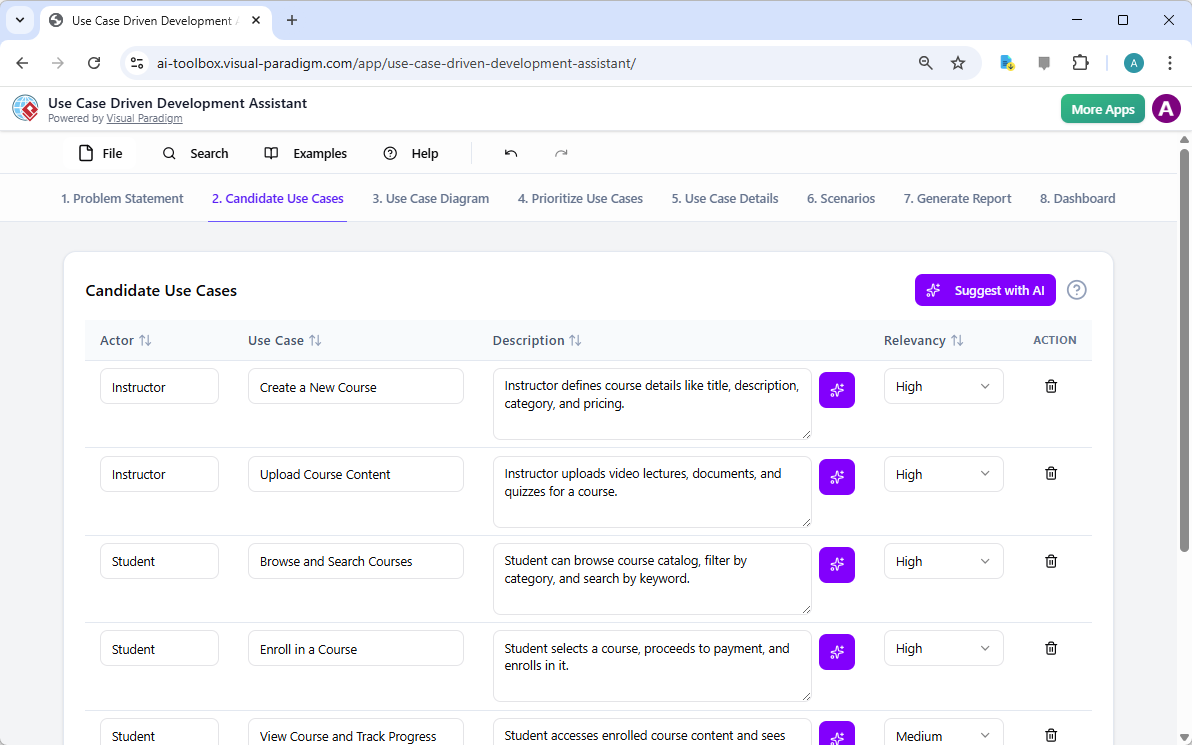
Once the problem is clear, the system identifies the key players known as actors. For an online school, these actors might include Instructors and Students. The professional software development assistant suggests a list of candidate use cases for these individuals. It identifies actions like creating a new course or enrolling in a class. This list acts as a menu of every interaction the system must support.
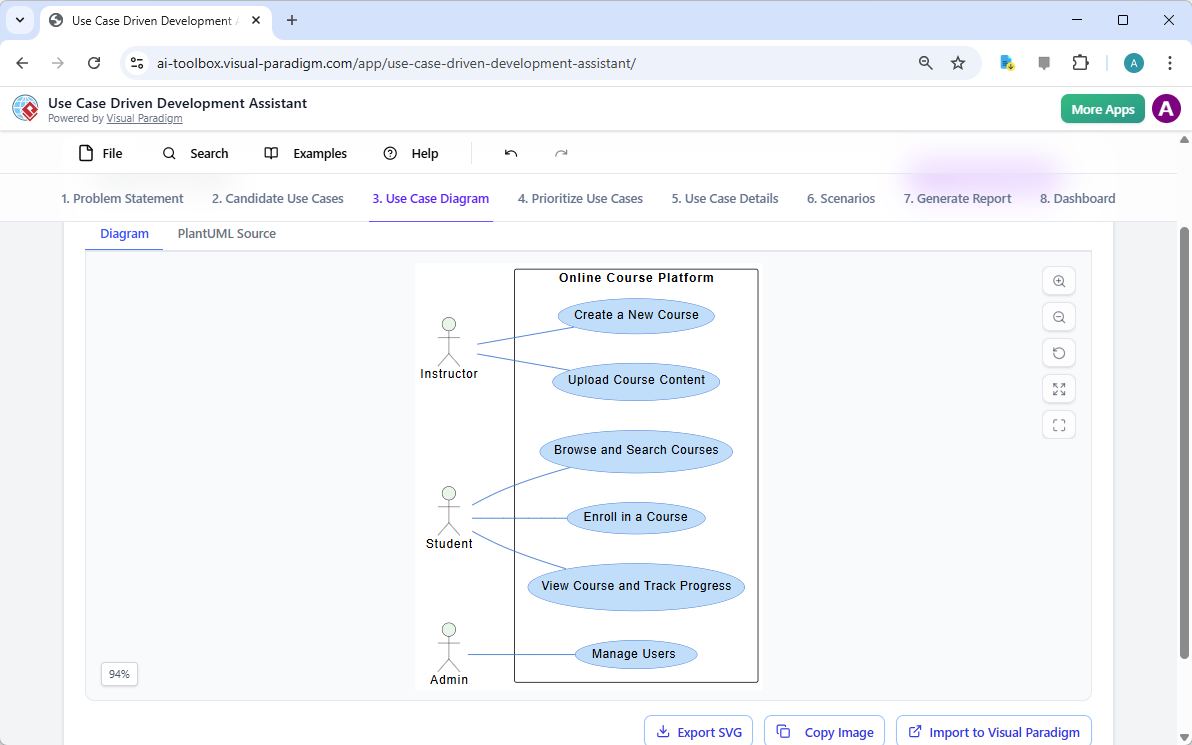
A list is helpful, but a picture tells a much more engaging story. The easy-to-use diagramming software takes those actors and use cases to create a visual map. This Use Case Diagram shows exactly how Instructors and Students interact with the Online Course Platform. It provides a high-level view that helps stakeholders visualize the scope of the entire project. This visual clarity prevents the team from building unnecessary features that no one actually needs.
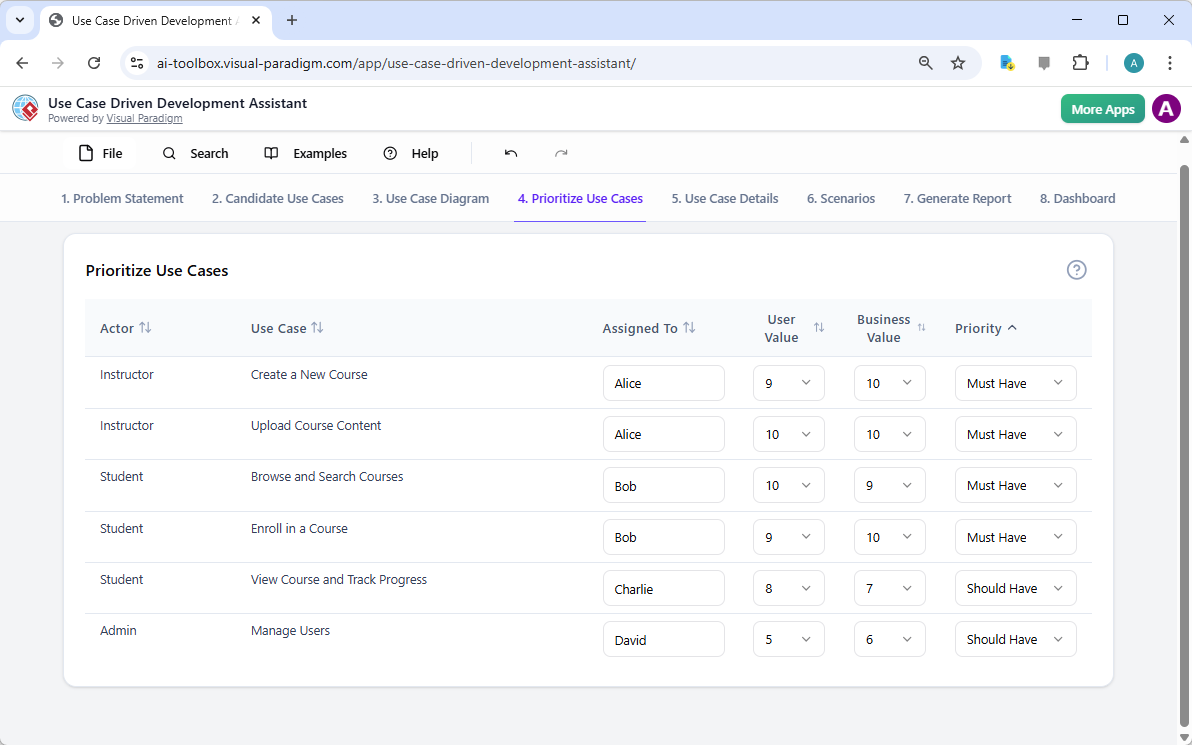
Deciding What Truly Matters First
Not every feature is an emergency that requires immediate attention. The Use Case Driven Development Assistant includes a module for setting priorities. Project managers can assign use cases to team members and rate their business value. The system uses the MoSCoW method to categorize items as Must Have or Should Have. This ensures the team builds the heart of the application before focusing on the decorative trim.
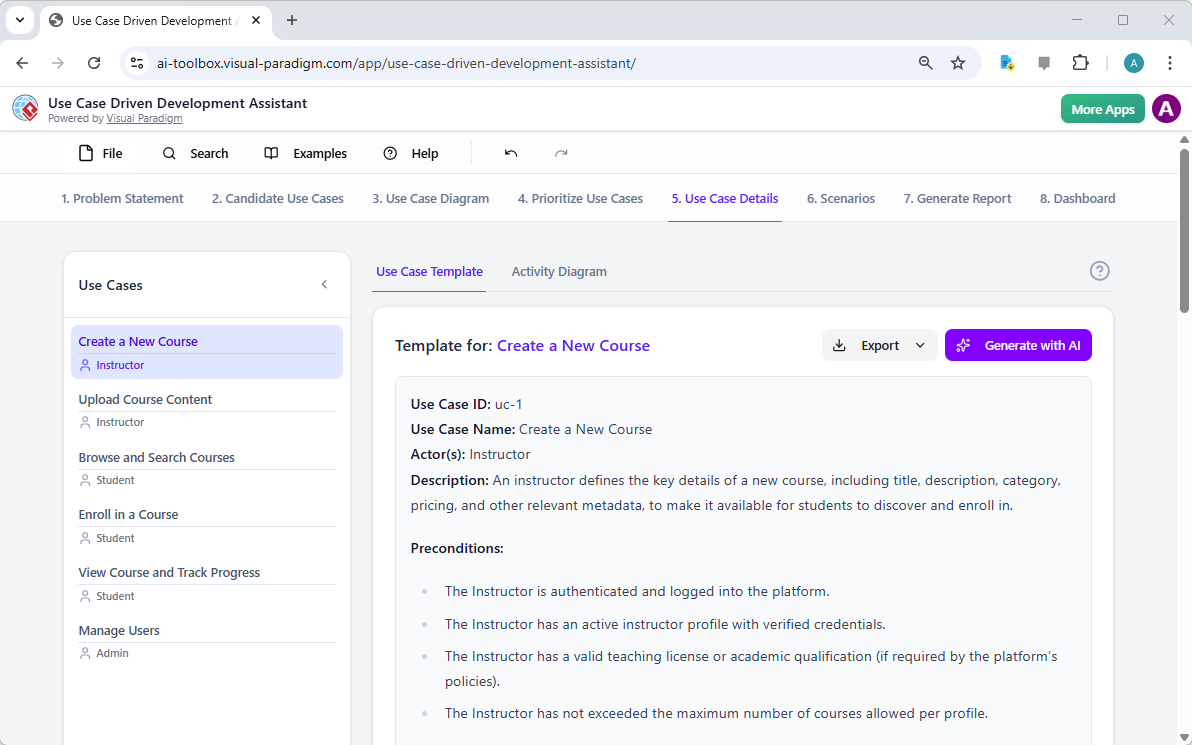
After deciding what is important, it is time to look at the fine details. The tool allows users to select a specific use case, such as creating a new course. The AI then generates a detailed template that outlines the necessary preconditions. It describes the specific steps an instructor must take to make their content available to students. This level of detail removes the guesswork for the developers who will eventually build the screen.
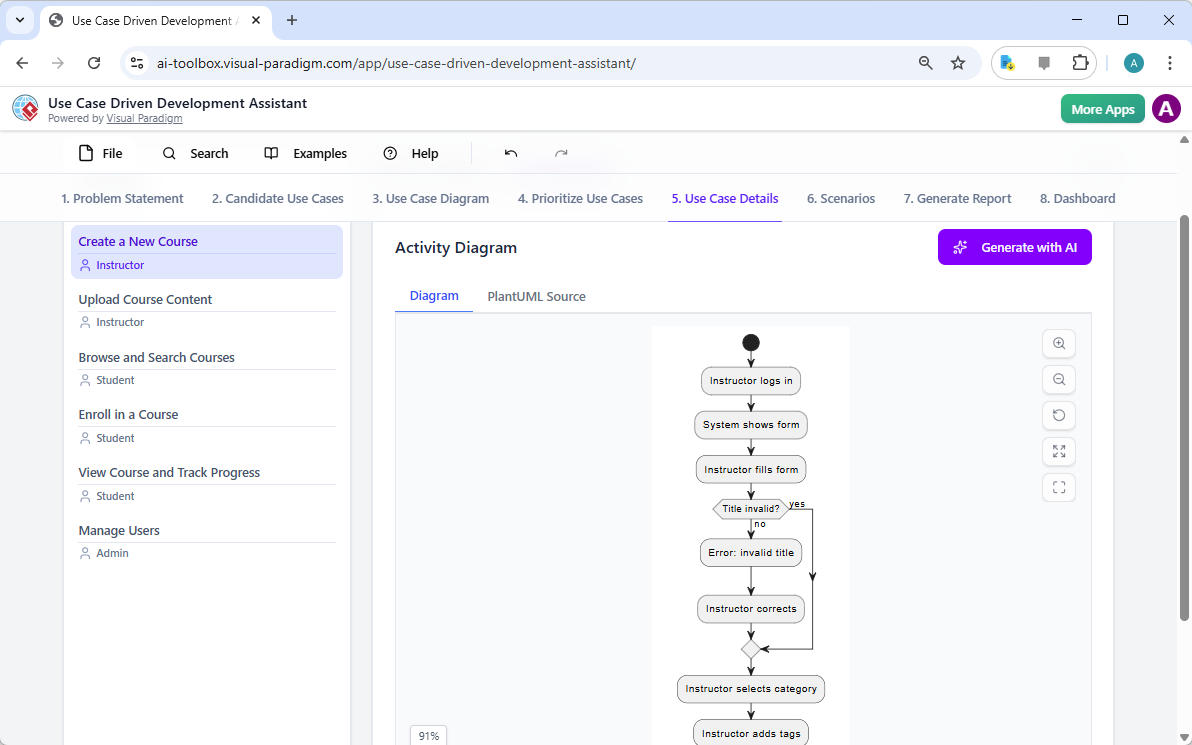
Sometimes, a text description is still too abstract for a complex workflow. The AI-powered diagram maker can generate an Activity Diagram for any selected use case. This diagram illustrates the step-by-step process of the interaction, including decision points and error paths. For example, it shows what happens if an instructor enters an invalid course title. This visual logic ensures that the software handles mistakes gracefully and keeps the user on track.
Generating the Blueprint for Quality and Code
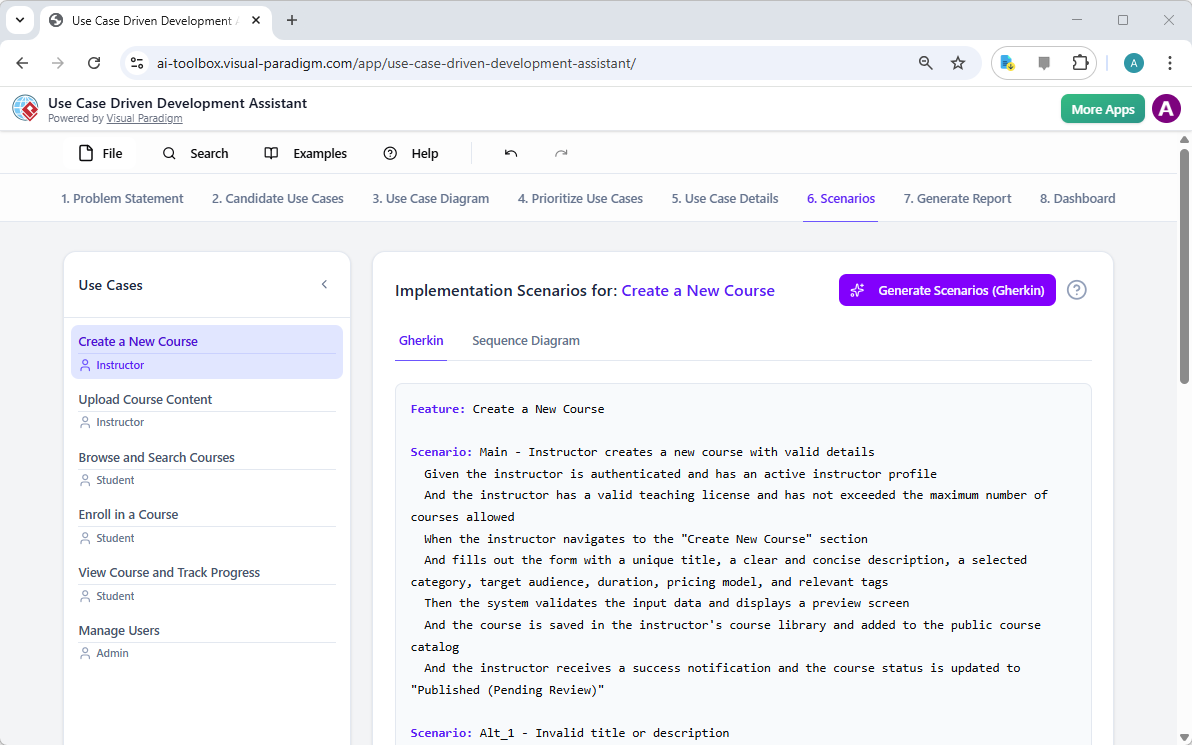
A great software project requires a rigorous testing plan to ensure a smooth user experience. The Use Case Driven Development Assistant bridges the gap between design and testing with Gherkin scenarios. These scenarios use a Given-When-Then format that both humans and automated testing tools can understand. They describe exactly how the system should behave under specific conditions. This provides a clear checklist for the quality assurance team to follow during their evaluation.
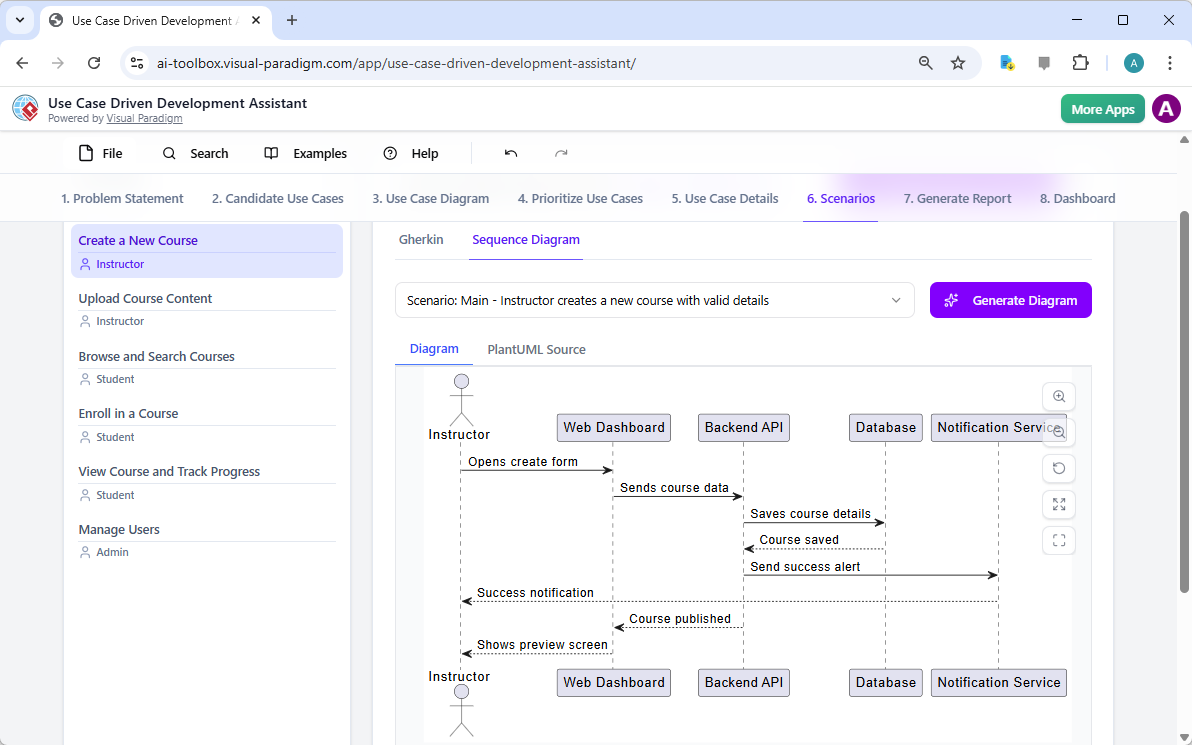
To further assist the technical team, the tool can visualize these scenarios as Sequence Diagrams. These diagrams show the silent conversation happening between the web dashboard, the API, and the database. It tracks how data moves from the instructor’s screen to the secure storage of the system. This deep dive into the system’s inner workings is a professional UCDD tool feature that prevents architectural errors. It ensures that the technical design is as robust as the user-facing features.
Wrapping Up with Professional Documentation
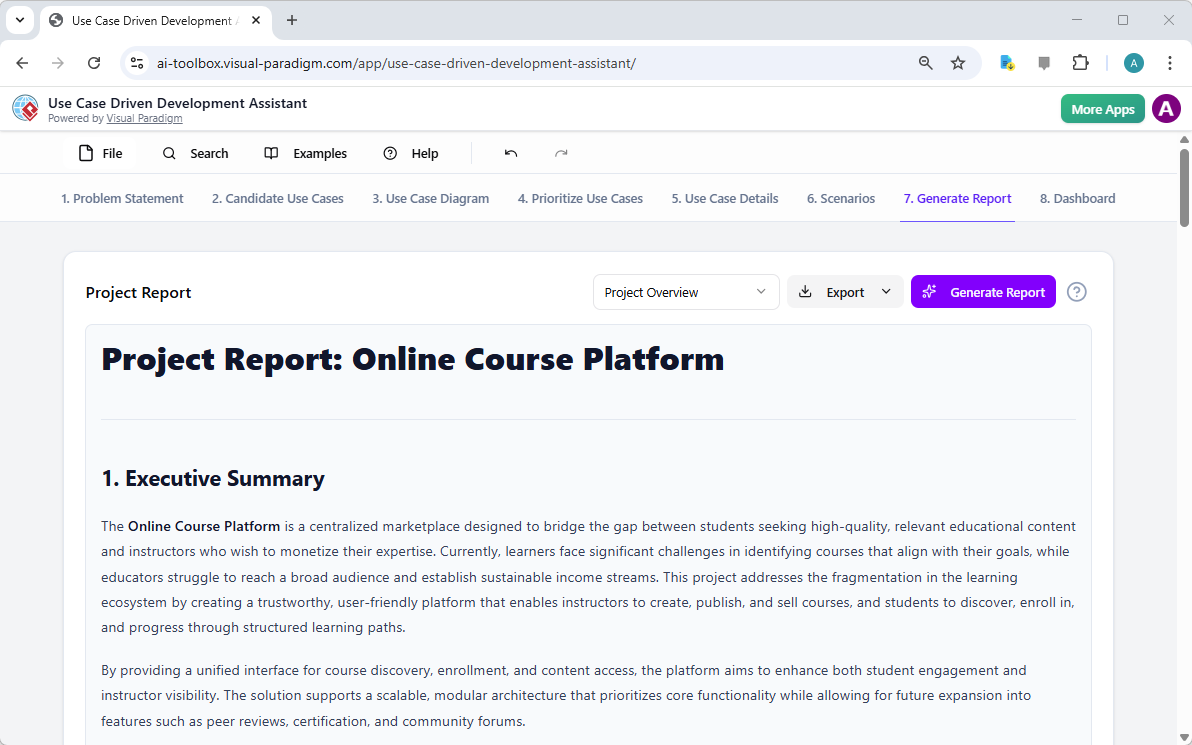
The final stage of the process involves gathering all this intelligence into a readable format. The assistant can generate a comprehensive Project Report that includes an executive summary. This document serves as the single source of truth for the entire development lifecycle. It translates complex technical diagrams into a narrative that business stakeholders can easily digest. This ensures that the people paying for the project and the people building it are on the same page.
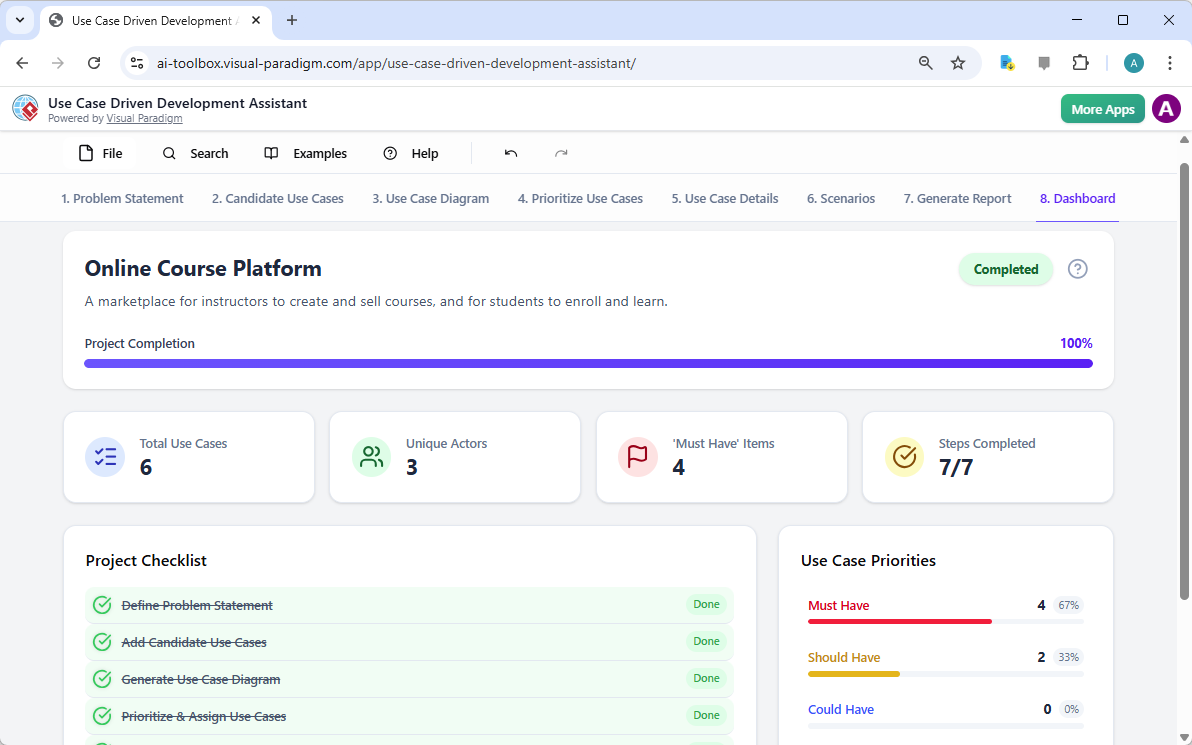
The dashboard provides a final birds-eye view of the project’s health and completion status. It tracks how many use cases have been defined and how many steps of the workflow are finished. This visual summary gives project managers peace of mind as they see the completion bar reach one hundred percent. The Use Case Driven Development Assistant transforms the scary mountain of software planning into a series of manageable, AI-assisted hills. By following this structured path, teams can deliver high-quality software with fewer headaches and faster results.
Ready to Transform Your Planning Process?
Do not let your next software project become a chaotic mess of misunderstood requirements. Experience the power of structured, AI-assisted design today. You can learn more about this innovative tool by visiting the official information page at Visual Paradigm AI. If you are ready to start building your own professional blueprints immediately, you may try the assistant now at the Visual Paradigm AI Toolbox. Start your journey toward clearer requirements and successful software delivery today.
Related Links
Use case modeling is a vital technique in software engineering used to capture functional requirements by visualizing the interactions between external actors and a system’s internal functions. Visual Paradigm offers an extensive suite of tools for this process, integrating AI-powered automation to generate detailed use case descriptions, refine diagrams, and even convert models into test cases or activity diagrams for enhanced traceability.
-
What Is a Use Case Diagram? – A Complete Guide to UML Modeling: This in-depth resource covers essential components, purpose, and best practices for accurate requirements modeling.
-
Step-by-Step Use Case Diagram Tutorial – From Beginner to Pro: A practical guide that walks users through both foundational and advanced diagramming techniques.
-
Mastering AI-Driven Use Case Diagrams with Visual Paradigm: A tutorial exploring the use of artificial intelligence to develop intelligent, dynamic models for modern software systems.
-
All You Need to Know About Use Case Modeling: A comprehensive look at the principles and applications of use case modeling in system design and engineering.
-
Visual Paradigm – Use Case Description Features: Details specialized tools used to precisely document user interactions and structured system behavior.
-
Unraveling Scenarios with the Use Case Scenario Analyzer: A technical guide on using specialized analyzers to examine and refine interaction flows for increased system clarity.
-
Guide to Using the Flow of Events Editor in Visual Paradigm: Provides step-by-step instructions for documenting structured event sequences within a use case.
-
Generating Scenarios and Test Cases from Use Case Diagrams Using AI: An exploration of how AI tools automate the creation of requirement-driven test procedures.
-
Convert Use Case to Activity Diagram – AI-Powered Transformation: A resource explaining the automated conversion of interactions into detailed system workflows.
-
Use Case Diagram Gallery – Templates & Examples: A curated collection of real-world use case diagrams for rapid prototyping and design inspiration.