




Building a Robust Online Bookstore Schema: The Best AI-Powered Database Modeling Tool Experience with DB Modeler AI
Learn how to build a robust online bookstore schema using DB Modeler AI. Discover a guided 7-step workflow to simplify database design and automation.
Designing a database often feels like an overwhelming task for many developers and analysts. You must consider business logic, technical relationships, and data integrity all at once. Visual Paradigm Online offers a revolutionary solution called DB Modeler AI to simplify this. This AI-powered database modeling tool guides you through a logical seven-step journey. It starts with a simple description of your business problem and ends with a functional schema. For example, you can design a complex “Online Bookstore” system without writing a single line of initial code. The application handles the heavy lifting by understanding your requirements and generating the necessary technical artifacts automatically.
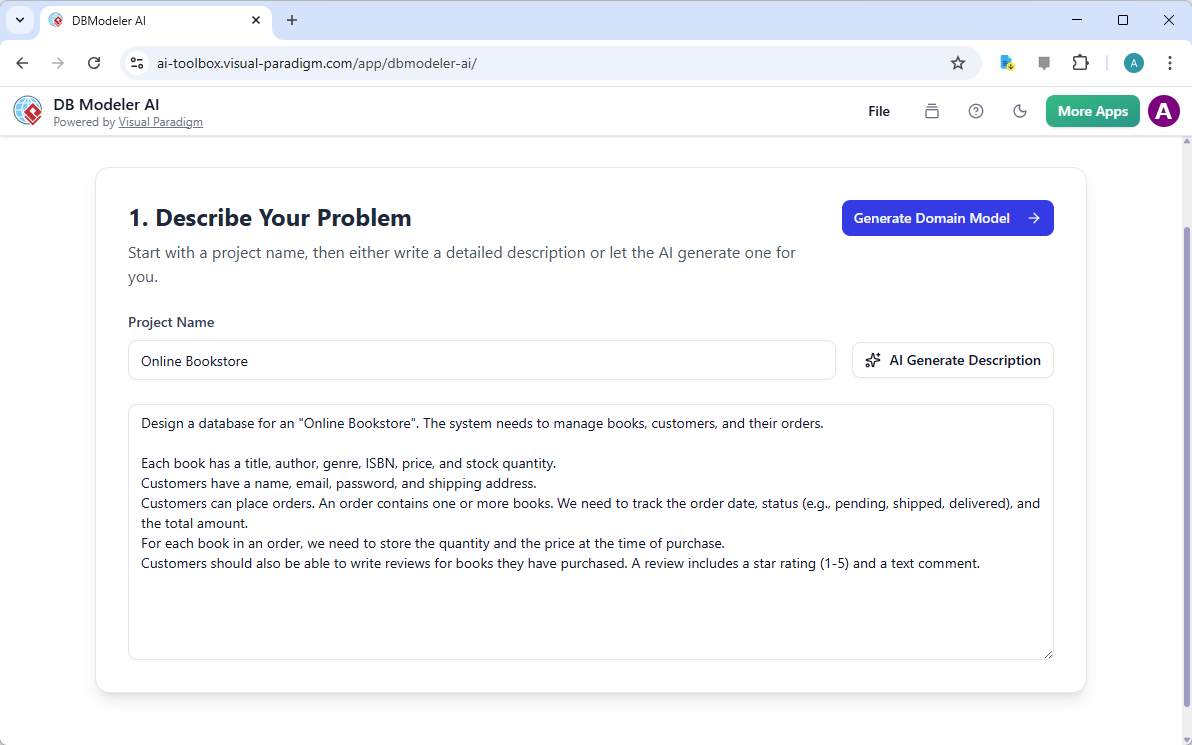
The first step focuses on the “Problem Input,” where you define the project scope. You can simply name your project and let the artificial intelligence draft a detailed description for you. In the case of an online bookstore, the system identifies the need to manage books, authors, and customer orders. It captures details like ISBNs, price points, and shipping addresses to ensure a complete foundation for your design.
A Feature Deep Dive: Why This Tool Outperforms Traditional Market Alternatives
Most traditional database design applications are merely drawing tools that require extensive manual configuration. They often leave the user to figure out the complex transition from a business idea to a physical database. In contrast, this easy-to-use database schema generator uses a guided workflow that ensures no critical step is missed. It provides a bridge between non-technical stakeholders and technical implementers. This collaborative approach reduces errors and prevents costly rework during the development phase of your software project.
Key Takeaways for Efficient Database Design
-
Automated Workflow: Progress from simple text to a full SQL schema in seven guided steps.
-
Visual Clarity: Generate both high-level conceptual diagrams and detailed technical models instantly.
-
Data Integrity: Built-in normalization steps ensure your database remains efficient and scalable.
-
Risk-Free Testing: Use the interactive playground to validate your design before deployment.
-
Professional Documentation: Receive a comprehensive final report to share with your development team.
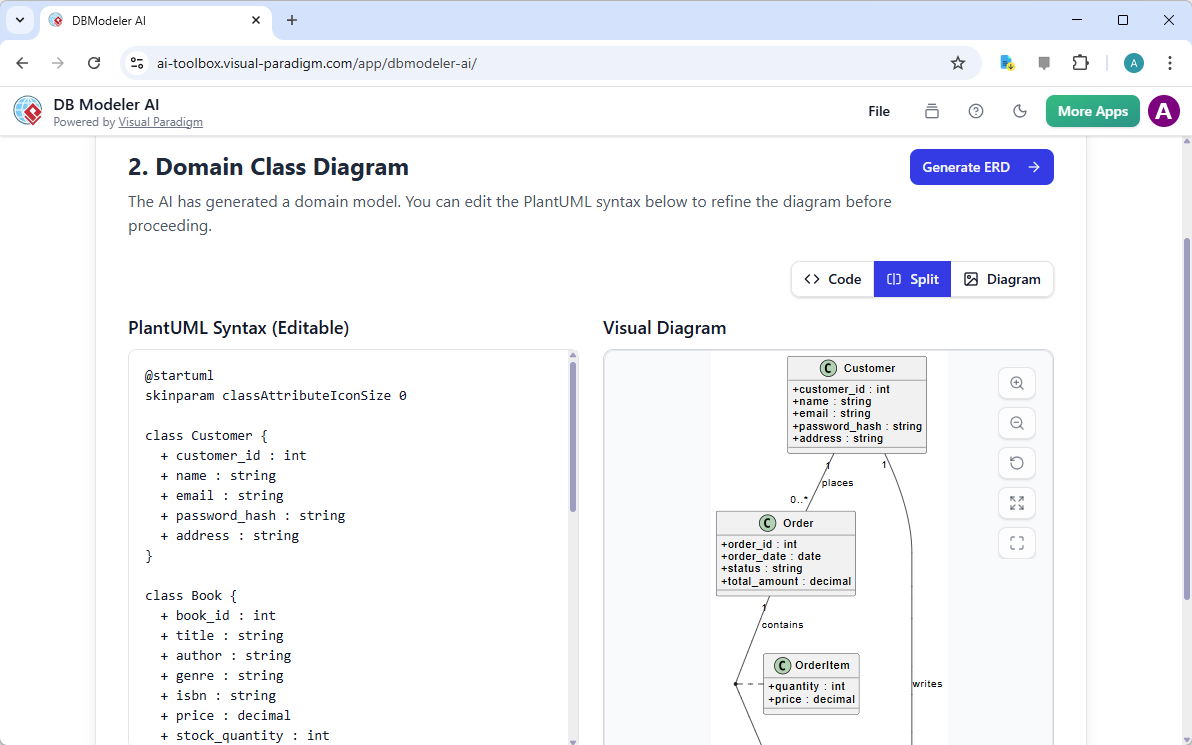
Once your problem is defined, the tool moves to Step 2: the Domain Class Diagram. This is a high-level conceptual model that identifies the main business entities. It shows classes like “Customer,” “Book,” and “Order” and their basic relationships. This stage is crucial because it focuses on business logic rather than technical database constraints. The AI generates this diagram and the underlying code, allowing you to visualize the structure before diving into technicalities.
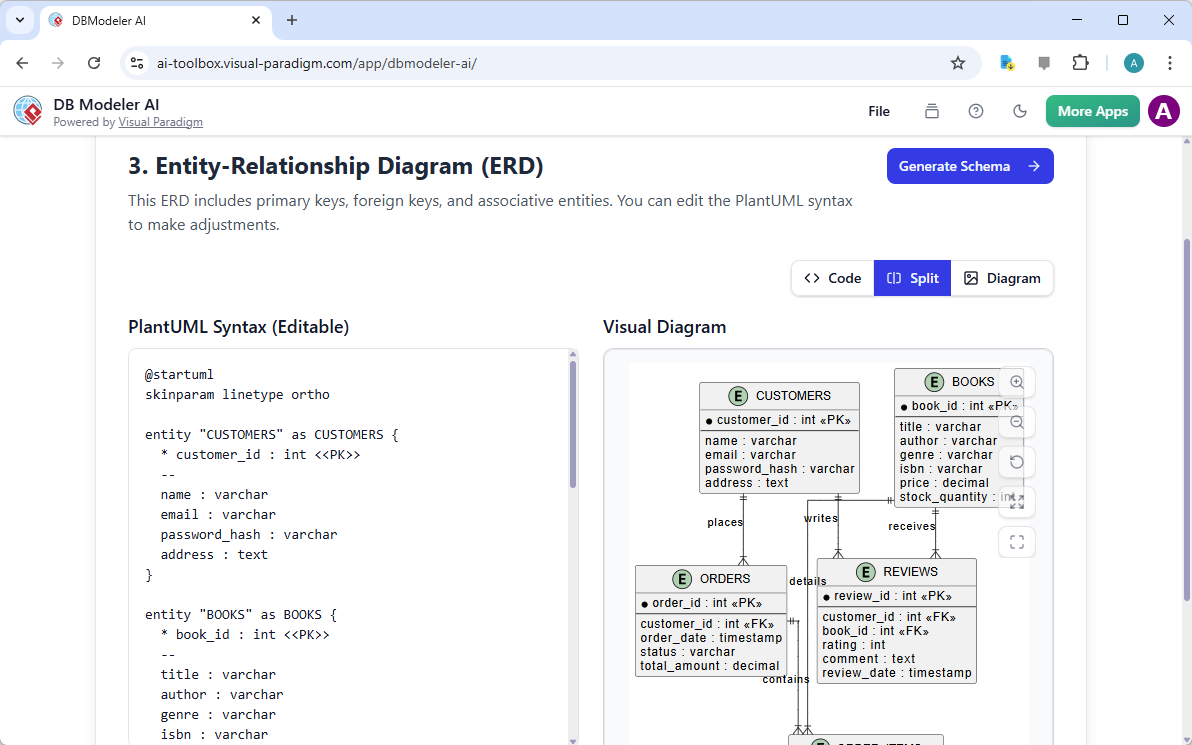
After refining the domain model, the application advances to Step 3 to create an Entity-Relationship Diagram (ERD). This professional ERD software adds technical depth to your design. It identifies primary keys, foreign keys, and associative entities necessary for a relational database. For the bookstore example, it clearly maps how a “Review” connects to both a “Customer” and a “Book.” This visualization is essential for understanding how data flows across different tables in your system.
Transforming Logical Models into Physical SQL Schemas
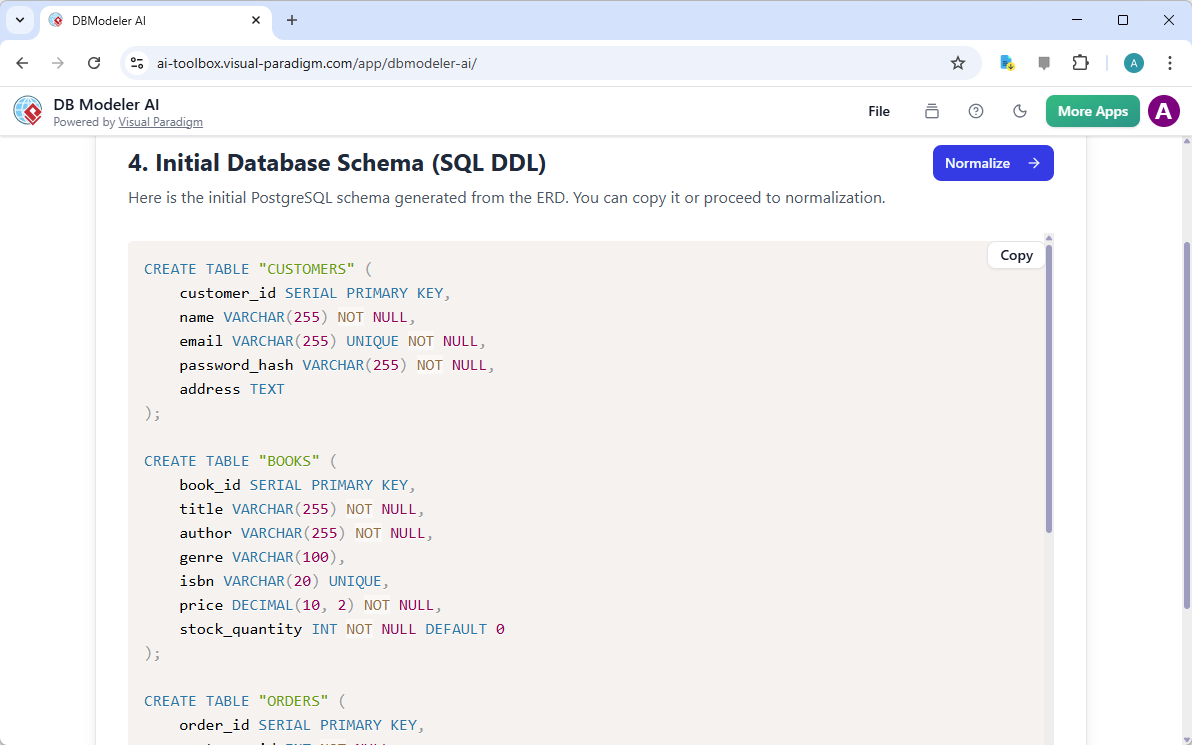
The transition from a diagram to actual code is often where manual errors occur. DB Modeler AI eliminates this risk in Step 4 by generating the Initial Database Schema. It produces SQL DDL (Data Definition Language) scripts based on your confirmed ERD. These scripts include instructions to create tables, define data types like integers or decimals, and set constraints. You can view the exact code that will eventually run on your database server, such as PostgreSQL or MySQL.
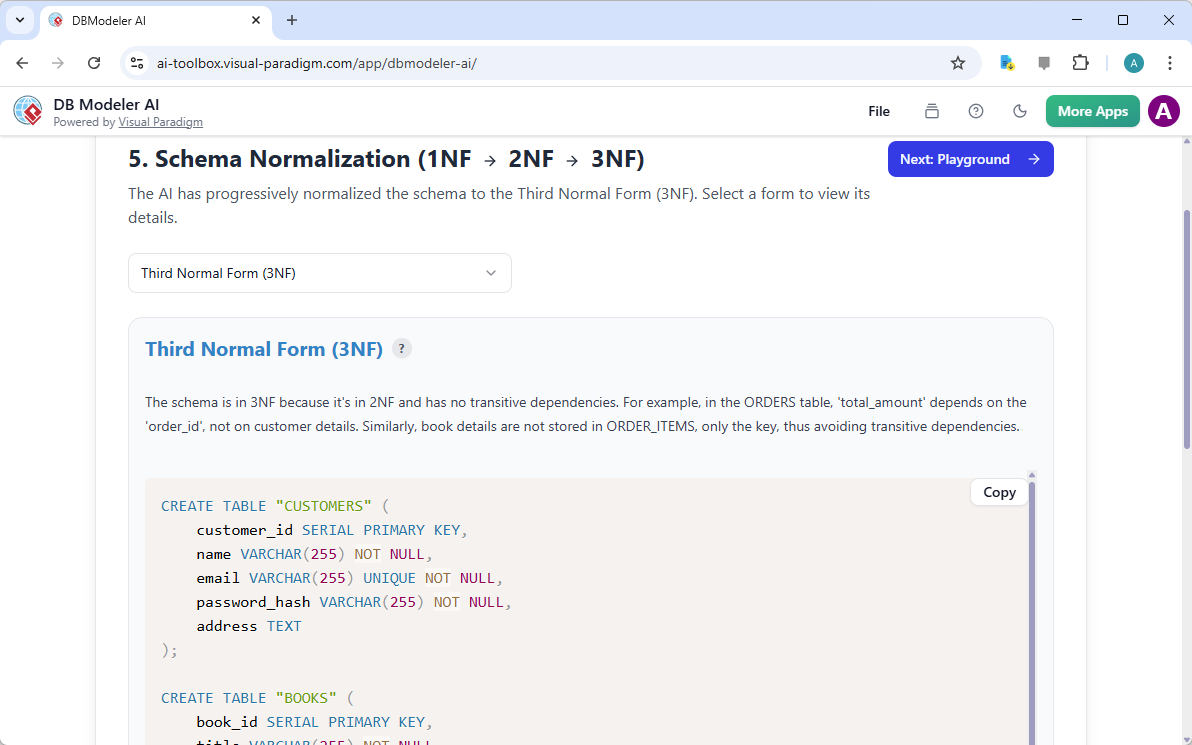
High-quality database design requires more than just creating tables; it requires optimization. Step 5 introduces Normalization Assistance, which is a standout feature compared to other tools. The AI refines your initial schema by applying normalization rules to reduce data redundancy. It moves your design through the First, Second, and Third Normal Forms (3NF). This process ensures that your database remains fast and prevents data anomalies when you update or delete records later.
The Interactive Playground: Testing Before Implementation
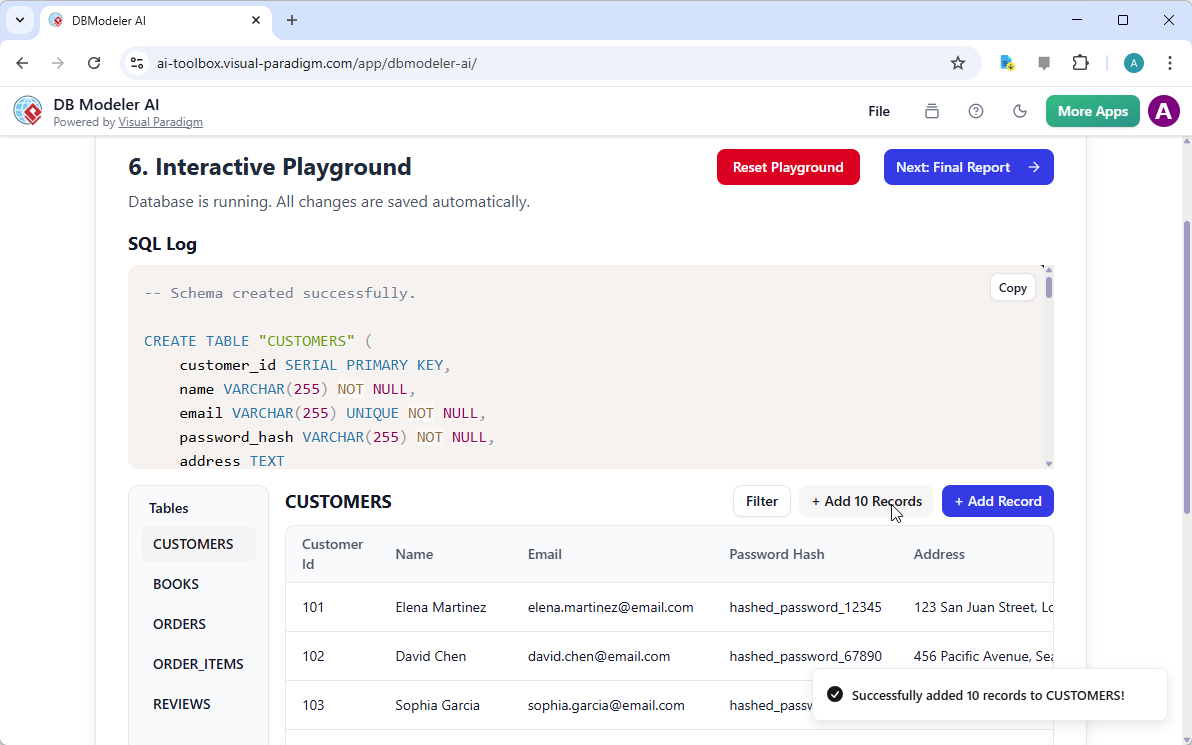
One of the most innovative features is the Step 6 Interactive Playground. Many online database design tools stop at the diagramming stage, leaving you to hope the design works. Visual Paradigm Online provides a simulated environment where you can actually “taste” your database design. You can insert sample records, run queries, and perform CRUD (Create, Read, Update, Delete) operations. This allows you to see the SQL statements in action and verify that your schema supports all your business needs.
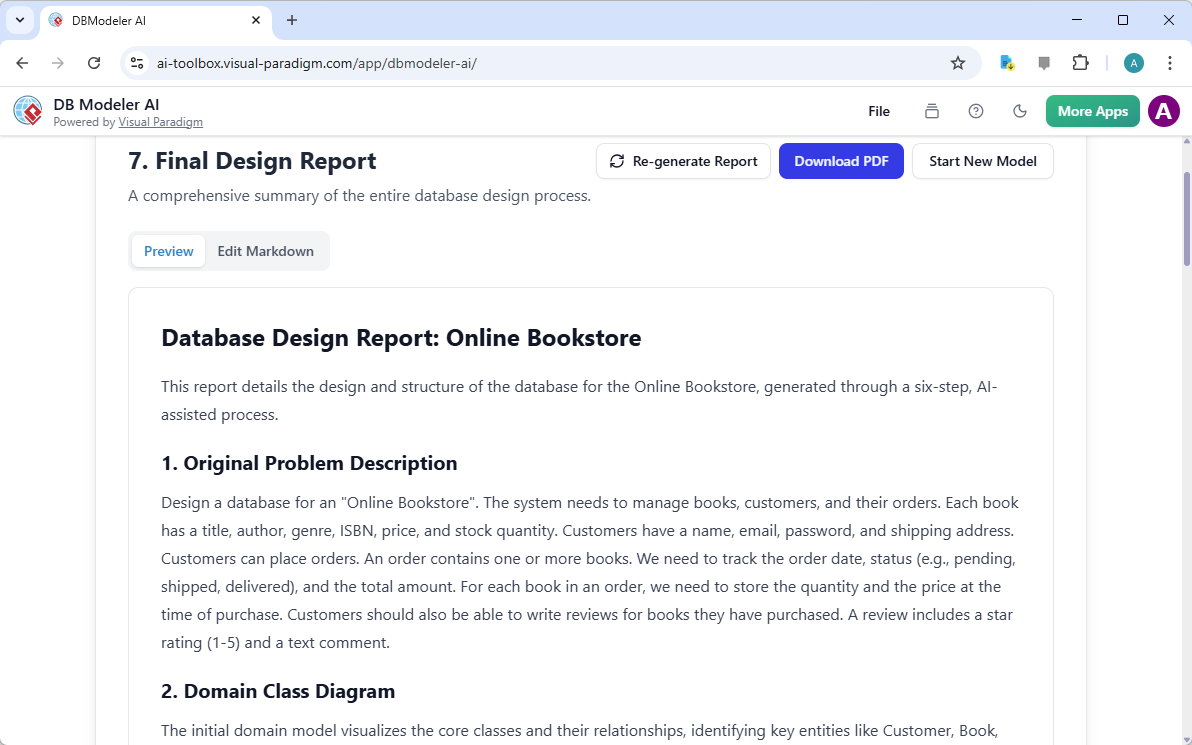
The final step culminates in a “Final Design Report,” which summarizes the entire modeling journey. This document includes your original problem description, all generated diagrams, and the final normalized SQL schema. It serves as a single source of truth for your project, making it easy to hand off to developers or present to management. Having this comprehensive documentation ensures everyone understands the underlying data structure of the application being built.
Conclusion
Mastering database design no longer requires years of specialized technical training or manual coding. By using this AI-powered database modeling tool, you can ensure your projects are built on a solid, professional foundation. The DB Modeler AI from Visual Paradigm Online removes the anxiety of design errors through its patient, step-by-step guidance. Whether you are a student learning the ropes or a seasoned developer prototyping a new idea, this tool provides the clarity and efficiency needed for success. You can confidently move from a simple idea to a fully functioning, normalized database schema in minutes.
Are you ready to streamline your next project with the best AI database design app available today? Visit the DB Modeler AI page to learn more about its comprehensive features. You can also jump straight into the action and try the tool now to experience the future of database modeling firsthand.
Related Links
Database design involves utilizing Entity-Relationship Diagrams (ERD) and data modeling techniques to construct scalable, robust database architectures that align with business requirements. Modern platforms have significantly enhanced this process by integrating AI-driven tools such as DBModeler AI, which automates schema generation, database normalization, and SQL testing.
-
Database Design with ERD Tools – Visual Paradigm Guide: A comprehensive resource for building scalable databases using data modeling best practices and schema design.
-
What is an Entity-Relationship Diagram (ERD)?: An introductory guide explaining the core components and the essential role of ERDs in system development.
-
DBModeler AI: Intelligent Database Modeling Tool: An overview of an AI-driven tool used for rapid database design, generating ER diagrams, and creating testable environments.
-
How to Model a Relational Database with ERD: A practical tutorial that walks users through the process from conceptual design to full implementation.
-
Visual Paradigm ERD Tool – Complete Database Solution: A detailed look at a professional toolset used by architects to model, visualize, and generate databases efficiently.
-
Database Design Tutorial with Visual Paradigm: A comprehensive guide to leveraging visual modeling tools for robust database design and development.
-
Reverse Engineering Database to ERD: A step-by-step manual on transforming existing databases into visual models for documentation and analysis.
-
Streamlining ER Modeling from Concept to Implementation: An article focused on simplifying the transition from conceptual modeling to final database deployment.
-
How to Create Database Specifications: A guide for developing precise technical specifications to ensure consistency across the development lifecycle.
-
AI-Powered JSON-to-CRUD Table Generator: A specialized tool that uses AI to automatically generate dynamic CRUD tables and data structures from JSON inputs.