




Creating a Handmade Crafts E-commerce Platform: An AI-Powered User Story Workflow
Discover how AI-powered tools streamline user story creation for e-commerce platforms selling handmade crafts, enhancing product development and team alignment.
Imagine you’re a product manager tasked with launching a new e-commerce platform for handmade crafts. You have a vision, but the initial planning phase feels like staring at a blank page. What features should you build first? How do you ensure your team understands the user’s needs? This is where the AI-Powered User Story (3Cs) Editor from Visual Paradigm transforms a daunting task into a streamlined, AI-assisted process. This tool doesn’t just help you write user stories; it guides you through a complete workflow from idea to actionable project plans. Let’s walk through how it works, using a real-world example of building an e-commerce platform for handmade crafts.
Quick summary
- Use the AI-Powered User Story (3Cs) Editor to generate and manage user stories for any product idea.
- Start by inputting your app domain, like “E-commerce platform for selling handmade crafts,” and let the AI generate a list of user stories.
- Refine the stories in an intuitive table, adding priorities and story points.
- Automatically generate critical reports: Acceptance Test Plan, Stakeholder Analysis, and Prioritization Report.
- These reports provide a clear roadmap for development, QA, and stakeholder communication.
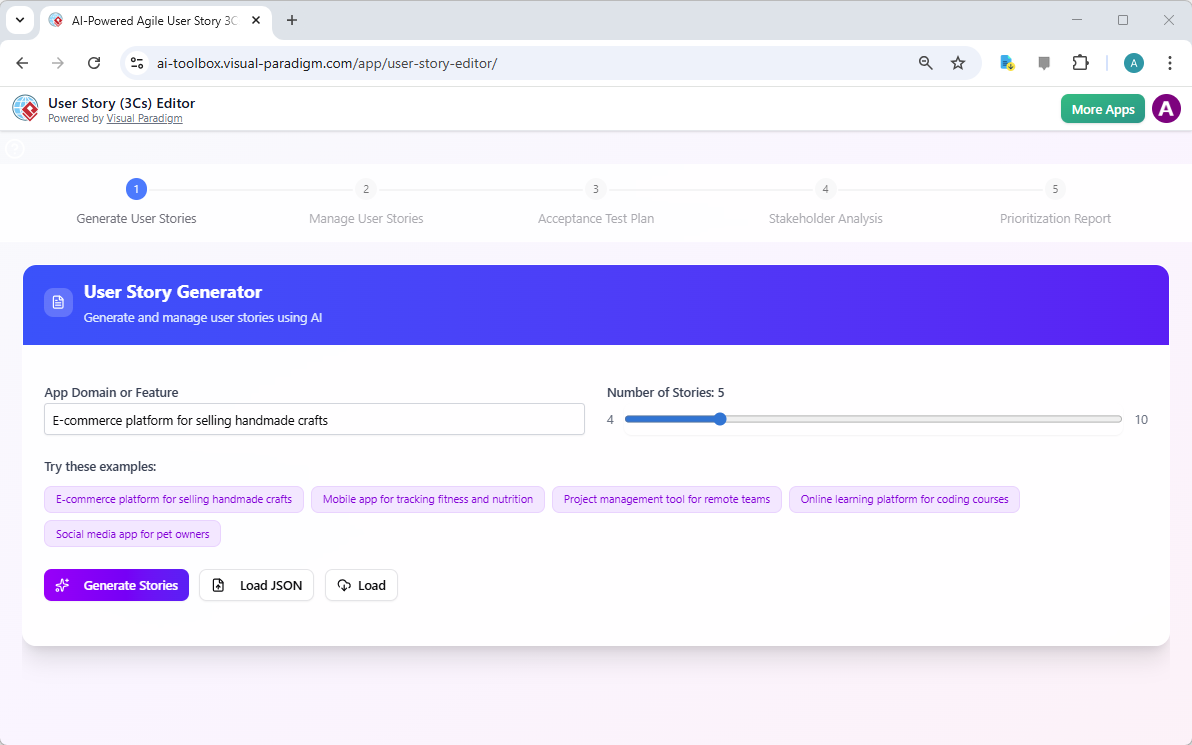
When you first open the AI-Powered User Story (3Cs) Editor, you’re greeted with a clear, step-by-step interface. The first step, “Generate User Stories,” is where the magic begins. Image 1 shows the initial screen. You simply type your app domain or feature into the input box. In our case, we’ve entered “E-commerce platform for selling handmade crafts.” The AI then uses this prompt to generate a batch of user stories. You can also choose how many stories to generate, with a slider allowing you to pick between 4 and 10. The tool also offers helpful examples to get you started. Once you’re ready, clicking the “Generate Stories” button unleashes the AI, creating a list of user stories based on your initial input. This step alone can save hours of brainstorming.
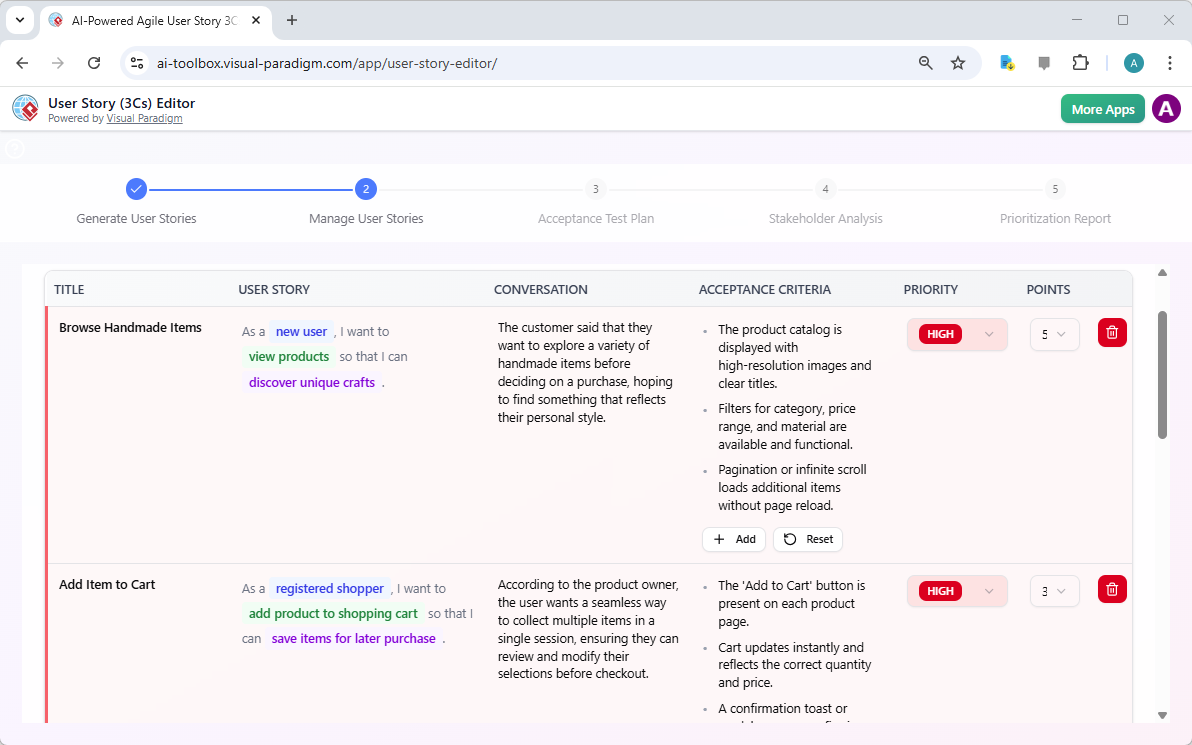
After the AI generates the stories, the tool automatically advances to Step 2: “Manage User Stories.” Image 2 displays the results. You now see a clean, table-based interface where each user story is broken down into its core components: the title, the user story statement (“As a [role], I want [need] so that [purpose]”), the conversation (the discussion around the story), and the acceptance criteria (the conditions for success). The AI provides a solid foundation, but you have full control to edit any field. You can refine the language, add more details to the conversation, or adjust the acceptance criteria. This is where the team can collaborate, ensuring everyone understands the story’s intent. You can also assign a priority (Low, Medium, High) and estimate the effort using story points, which are crucial for backlog management.
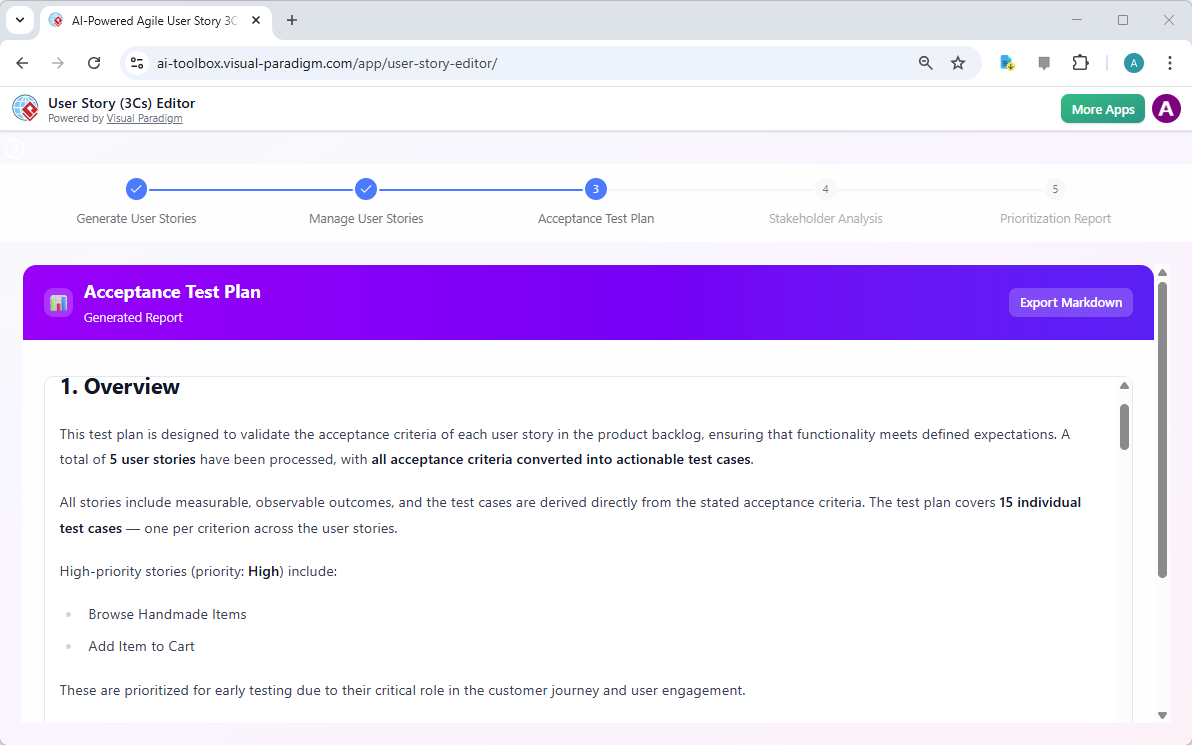
With your user stories defined, the real power of the tool emerges. The next step is to generate reports that turn your backlog into actionable intelligence. Clicking “Generate Acceptance Test Plan” takes you to Step 3. Image 3 shows the resulting report. The AI analyzes your acceptance criteria and automatically creates a comprehensive test plan. It details the specific test cases needed to verify each user story, ensuring that the development team knows exactly what to test and the QA team has a clear roadmap. This is a massive time-saver, as it automates a process that is often manual and error-prone.
Next, you can generate a “Stakeholder Analysis” report. Image 4 shows this report, which identifies the key people involved in the project and their interests. The AI analyzes your user stories to determine who is impacted and how. It provides a clear analysis of their influence and potential impact, along with communication strategies. This report is invaluable for project managers and product owners, helping them navigate complex stakeholder relationships and ensure everyone is aligned.

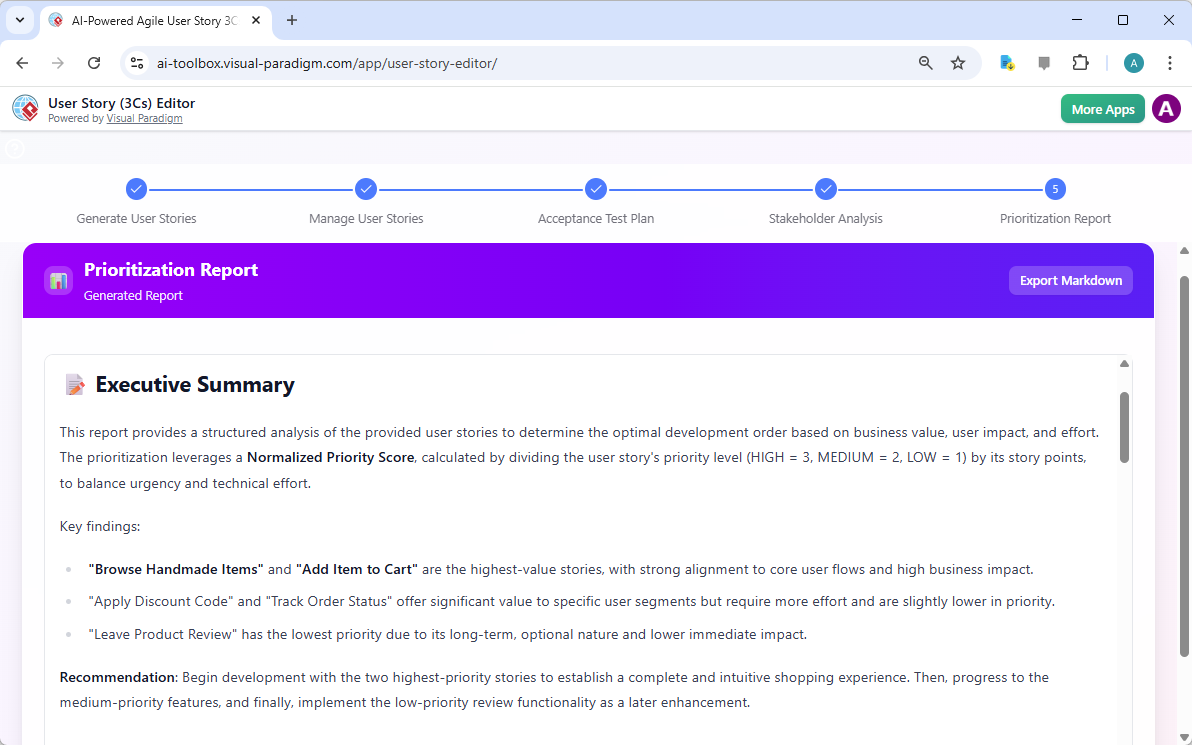
Finally, the tool can generate a “Prioritization Report.” Image 5 displays this report, which provides a data-driven analysis of your backlog. It leverages the priorities and story points you’ve assigned to calculate a normalized score, helping you determine the optimal development order. The report highlights the highest-value features, such as “Browse Handmade Items” and “Add Item to Cart,” and recommends starting with them to establish a strong user experience. It also identifies lower-priority features, like “Leave Product Review,” suggesting they be implemented later. This report provides a clear, evidence-based roadmap for your development sprints.
The AI-Powered User Story (3Cs) Editor from Visual Paradigm is more than just a tool; it’s a complete workflow for agile product development. It takes the guesswork out of backlog creation and turns your ideas into a clear, actionable plan. From the initial spark of an idea to the detailed test plans and prioritization strategy, this tool provides a seamless path from concept to execution. It empowers product managers, business analysts, and agile teams to work more efficiently, align their understanding, and deliver products that truly meet user needs. If you’re looking to streamline your product development process, this AI-powered editor is a powerful asset.
Ready to see how it works? Try the AI-Powered User Story (3Cs) Editor now and experience the power of AI-assisted product development firsthand.
Related Links
- Agilien AI-Powered Jira Backlog Planner – Visual Paradigm: Automate and enhance your Jira backlog planning with Agilien AI, which intelligently structures user stories and epics for efficient sprint planning.
- Creating Storyboards from User Stories in Visual Paradigm: Tutorial on transforming user stories into visual storyboards to improve understanding and alignment in product development.
- Visual Paradigm – Story Estimation & Spike Investigation for Agile: Learn how to use Visual Paradigm’s agile development tools to estimate user stories and conduct spike investigations to reduce uncertainty in sprint planning.
- How to Manage User Stories with Story Maps in Scrum: A practical guide on using user story maps to organize, prioritize, and manage user stories within a Scrum framework.
- From Business Processes to User Stories: A Mapping Tutorial: Learn how to transform business processes into user stories using Visual Paradigm, enabling better alignment between business goals and development.
- What Is a User Story? A Complete Guide to Agile Requirements: This comprehensive guide explains the concept of user stories in Agile software development, highlighting their purpose, structure, and importance in capturing user needs effectively.
- Writing Effective User Stories: A Practical Guide for Agile Teams: A hands-on guide that walks Agile teams through the process of crafting high-quality user stories using real-world examples and proven techniques.