Bring Your Classroom to Life: AniFuzion Animation Guide for Educators
Create engaging 3D classroom animations with AniFuzion. No design skills needed. Boost student engagement with interactive, AI-powered videos.
Imagine a dynamic, 3D classroom where your students aren’t just watching—you’re guiding them through lessons with animated characters, expressive gestures, and clear voiceovers. This isn’t fantasy. It’s a snapshot of an AI-powered, browser-based animation tool that transforms teaching into storytelling. Visual Paradigm’s AniFuzion lets educators like you create engaging, interactive learning experiences—complete with speech bubbles, lifelike characters, and polished timing—without needing a design degree or a studio setup. Ready to turn your lesson plans into captivating animated videos? Let’s break down how.
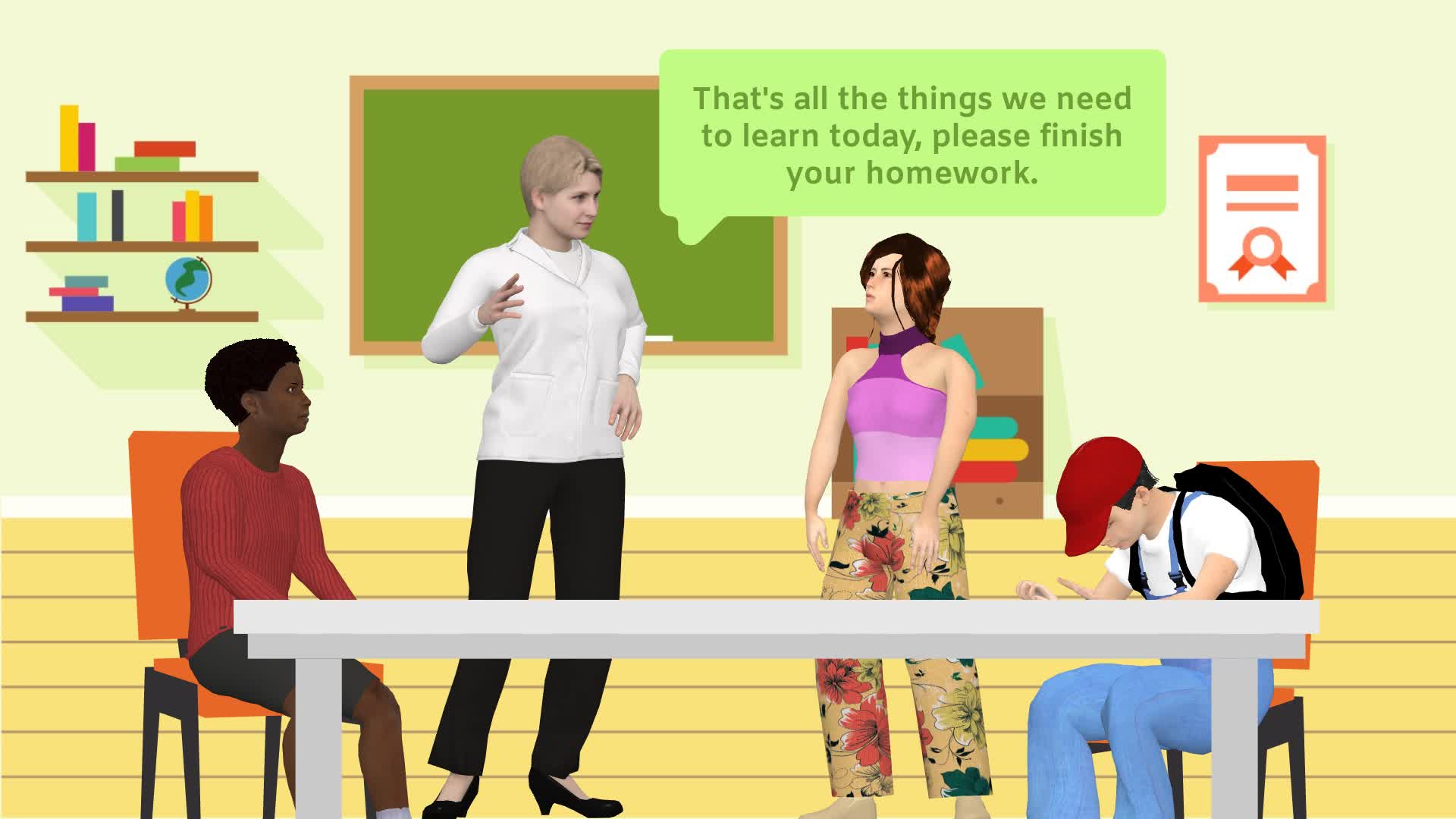
What you’re seeing here isn’t just a random animation—it’s a powerful example of how AniFuzion empowers educators to visualize instruction in real time. The scene captures a teacher standing at the front, delivering a clear directive: “That’s all we need to learn, please finish your homework.” The classroom environment is instantly recognizable—shelves with books, a chalkboard, and students seated at desks—while the characters are rendered with 3D realism and personality. This isn’t a static image; it’s a living, breathing moment that can be edited, enhanced, and exported to engage students in ways traditional slides simply can’t.
Why This Animation Matters for Modern Education
When you’re teaching, your goal isn’t just to convey information—it’s to hold attention, spark curiosity, and reinforce learning. An animated classroom scene like this one doesn’t just show what’s being taught; it shows *why* it matters. The teacher’s posture, the students’ expressions, and even the subtle gestures all contribute to a narrative that’s more memorable than a PowerPoint slide. With AniFuzion, you’re not just creating visuals—you’re crafting emotional engagement, which research shows leads to better retention and deeper understanding.
Key Takeaways: What You Can Do With This Scene
- Engage Students with Interactive Storytelling — Use animated characters to guide students through concepts, like assigning homework or explaining a science experiment.
- Enhance Learning with Voiceover and Lipsync — Add narration with AI Text-to-Speech, and watch your characters’ mouths sync perfectly with the words—no manual editing needed.
- Customize the Environment Instantly — Swap out the classroom for a lab, a library, or even a virtual field trip with ready-to-use backgrounds and props.
- Export for Any Platform — Turn this animated scene into a video, flipbook, or embeddable link for use in LMS platforms, emails, or social media.
- Build Confidence as a Creator — The drag-and-drop interface and pre-built actions mean you can produce high-quality animations in minutes—even if you’re new to animation.
How to Replicate This Scene in AniFuzion
Creating this exact scene is easier than you think. Start with the basics: a teacher character, two students, and a classroom backdrop. You can use AniFuzion’s 3D character library to select realistic or stylized figures, then customize their outfits, expressions, and poses. The teacher’s gesture, for example, can be easily adjusted to show emphasis or direction. Once characters are placed, you can add speech bubbles using the built-in text tools, and sync them with voiceover using the AI Text-to-Speech feature.
For the classroom setting, browse the scene templates or use the background library to instantly populate shelves, desks, and a chalkboard. You can even add props like books or a globe to enrich the environment. Then, apply motion presets to make the students’ movements natural—like one student looking up at the teacher, another looking down at their work. The timeline editor lets you fine-tune timing and layering, ensuring every moment feels intentional and engaging.
Step-by-Step: From Concept to Classroom Clip
- Start with a Template — Choose a “Classroom” scene template to get your environment set up quickly.
- Drag and Drop Characters — Select a teacher and two students from the 3D character library, then customize their outfits and expressions.
- Add Speech and Voiceover — Type your lesson directive into the TTS panel, select a voice tone (like “friendly” or “authoritative”), and generate audio. AniFuzion will automatically sync the mouth movements.
- Enhance with Props and Effects — Add books, a globe, or a chalkboard. Apply shape effects to text bubbles or student desks for visual flair.
- Preview and Export — Watch your animation in real-time, adjust timing, and export as a video or flipbook for sharing.
Why This Tool Is a Game-Changer for Educators
Teachers often struggle with creating visual content that’s both engaging and easy to produce. AniFuzion solves this by combining AI, drag-and-drop simplicity, and a rich asset library into one intuitive platform. You don’t need to be a designer or a coder—you just need an idea and a desire to make learning more memorable. Whether you’re explaining a math concept, introducing a new unit, or giving feedback, this tool lets you create animations that feel professional, personal, and perfectly tailored to your classroom.
For example, you can animate a “homework assignment” moment like the one in the image—complete with a teacher’s gesture and a student’s focused expression—and turn it into a 30-second video that students can watch before class or share with parents. Or, you can create a flipbook version that students can flip through on their tablets during breaks. The possibilities are endless, and the results are always polished and professional.
What Makes AniFuzion Stand Out
While many animation tools offer basic features, AniFuzion stands out because it’s designed for real-world use—not just for fun or experimentation. It’s built for educators, marketers, HR professionals, and content creators who need to communicate complex ideas visually. The tool integrates AI features like automatic lipsync and voiceover generation, which saves hours of manual work. The 3D character library offers thousands of customizable options, from cartoon styles to realistic avatars, so you can match your tone and audience.
And because it’s browser-based, you can create and edit animations from any device—whether you’re in your classroom, at home, or on the go. No software installation, no complex setup, no learning curve. Just log in, start building, and watch your ideas come to life.
Final Thoughts: Turn Your Lessons into Animated Masterpieces
What you’re seeing in this snapshot isn’t just an animation—it’s a moment of connection, clarity, and engagement. With AniFuzion, you can turn every lesson into a story, every concept into a character, and every idea into an experience. Whether you’re a seasoned educator or just starting out, this tool empowers you to create content that’s not only visually stunning but emotionally resonant. And the best part? You don’t need to be an expert to start. Just open your browser, pick a template, and begin.
Ready to Create Your First Animated Lesson?
Sign up for Visual Paradigm Online today and start building your own animated classroom scenes. Whether you’re creating videos for students, flipbooks for parents, or interactive content for your school’s website, AniFuzion makes it simple, fast, and fun. Try it now—your next animated lesson is just a click away.
Subscribe to Visual Paradigm Online
Related Resources
- Comprehensive Tutorial on Anifuzion: The Ultimate Animation Maker: This page provides a detailed technical guide on using Anifuzion to create high-quality animations with minimal effort.
- Solutions for Content Creators | Anifuzion: Anifuzion enables content creators to produce professional-grade animated visuals without requiring advanced animation skills.
- Comprehensive Guide to Creating Animated Videos with Anifuzion: This guide offers step-by-step technical instructions for generating animated videos using Anifuzion’s intuitive interface.
- A Beginner’s Guide to Creating Stunning 3D Animations with Anifuzion: Designed for newcomers, this guide explains how to produce visually impressive 3D animations using Anifuzion’s automated tools.
- How Anifuzion Empowers Non-Animators to Create Stunning Visuals: This article explains how Anifuzion leverages AI-driven automation to enable non-experts to produce high-quality visual content.
- Create Stunning Animations with Over 2000 Character Actions and …: Creating realistic dialogue has never been easier with AniFuzion’s automatic lipsync animation feature. Powered by AI, this tool syncs your character’s mouth …
- Discover AniFuzion: The Distinctive Animation Maker That Sets You …: What truly sets AniFuzion apart is its blend of versatility and creativity. With a rich library of customizable templates, 3D characters, and dynamic visual …